

תיאור
XO Security is a plugin to enhance login related security.
This plugin does not write to .htaccess file. Besides Apache, LiteSpeed, Nginx and IIS also work.
פונקציות
- Record login log.
- Limit login attempts.
- Add Captcha to the login form and comment form.
- Change the URL of the login page.
- Enable two-factor authentication (2FA) for login.
- Login Alert.
- Disable login by mail address.
- Disable login by user name.
- Change login error message.
- Disable XML-RPC and XML-RPC Pingback.
- Disable REST API.
- Disable author archive page.
- Remove comment author class of comments list.
- Remove the username from the oEmbed response data.
- WooCommerce login page protection.
- Anti-spam comment.
- Hide WordPress version information.
- Edit the author slug.
- Disable RSS and Atom feeds.
- Activate maintenance mode.
- Delete the readme.html file.
WordPress multisite considerations
If you set the login page separately for the main site and the subsite, you will not be able to use the password loss function of the subsite. We recommend that you set the login page to be common to all sites.
צילומי מסך
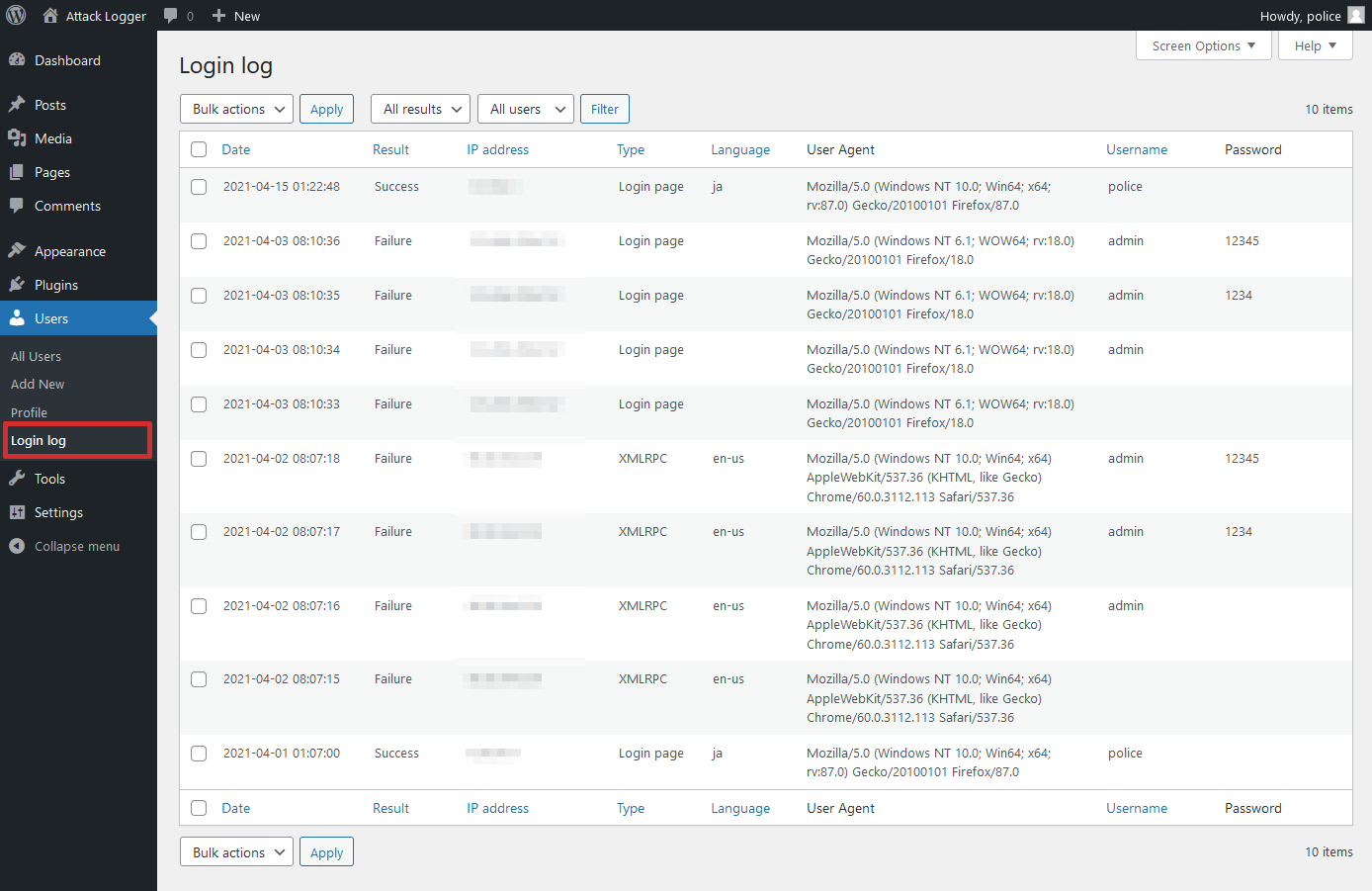
Login log page. 
Status page. 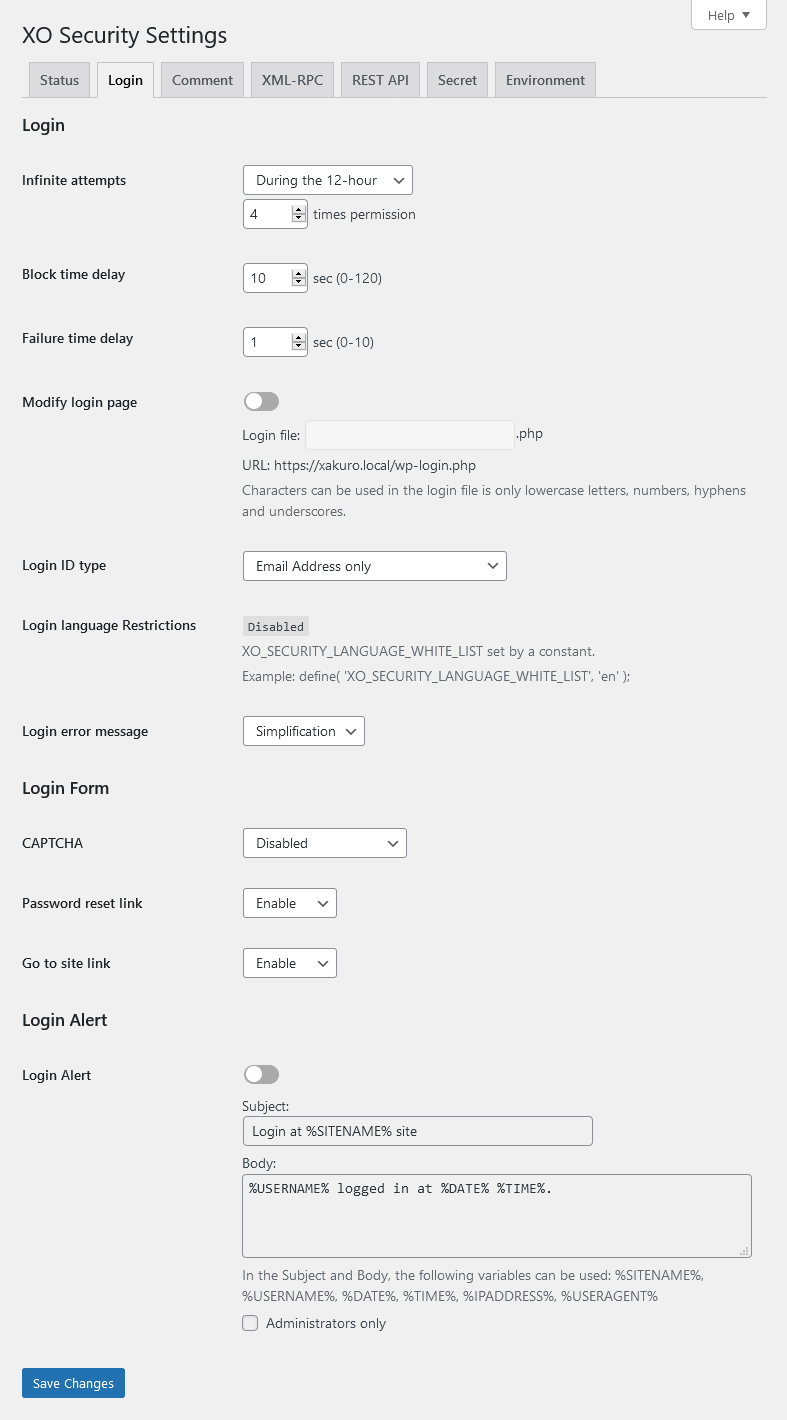
Login setting page. 
Profile page.
התקנה
- Upload the
XO-Securityfolder to the/wp-content/plugins/directory. - Activate the plugin through the Plugins menu in WordPress.
- Go to "Settings" -> "XO Security" and customize behaviour as needed.
שאלות נפוצות
-
Login page is not displayed.
-
Please initialize the settings.
- In wp_options table, the value of the option_name field (column) is to remove the record of "xo_security_options".
- If you have set the login page, please delete the file.
-
The CAPTCHA is not displayed.
-
Please install mbstring and GD module.
סקירות

7 בפברואר 2026
This plugin is lightweight and easy to use, so I recommend it.

25 בדצמבר 2025
It's my top recommendation for security plugins on WordPress sites.It includes all the security features I need.

4 בנובמבר 2023
タイトル通りです。AIOS等の定番プラグインと比べると機能は少ないですが、必要最低限の対策が揃っており設定が非常にわかりやすいので使いやすいです。これだけでは不安という人はBBQ Firewallを併用すると良いです。

8 באפריל 2023
This one plugin completes my security measures. Thanks !!

25 באוקטובר 2022
I recommend for those looking for a simple and reliable security plugin.

19 באוגוסט 2021
This plugin has become one of my favorite plugins, it protects my website from malicious users, and the development team provides support very quickly! Thanks!
מפתחים

“XO Security” תורגם לשפה 1. תודה רבה למתרגמים על תרומתם.
ניתן לתרגם את "XO Security" לשפה שלך.
מעוניינים בפיתוח?
עיינו בקוד, ראו את הקוד ב-SVN repository, או הירשמו ללוג פיתוח באמצעות RSS.
שינויים
3.10.9
- Supported WordPress 7.0.
3.10.8
- Fixed a bug that sometimes prevented access to the login page.
3.10.7
- Fixed a mistake in version 3.10.6.
3.10.6
- Fixed an issue where the URL in the email sent when resetting a password was incorrect when changing the login page.
3.10.5
- Supported WordPress 6.9.
- Fixed a bug that sometimes prevented access to the login page.
3.10.4
- Supported WordPress 6.6.
3.10.3
- Supported CAPTCHA for login form using ajax.
3.10.2
- Fixed a mistake in version 3.10.1.
3.10.1
- Fixed a bug that sometimes prevented login with two-factor authentication.
- Enhanced the judgment of comment bots.
3.10.0
- Added option to change author base.
- Added option to select CAPTCHA type.
- Enhanced the judgment of comment bots.
3.9.1
- Fixed a bug where an error message was displayed on the admin screen in PHP 8.2 or higher.
3.9.0
- Added two-factor authentication function.
- Fixed a bug where the login page file created by changing the login page may not be deleted during uninstallation.
- The REST API URL change feature has been deprecated. If it is currently in use, you can continue to use it, but you cannot use it newly.