לדלג לתוכן
WordPress.org

וורדפרס בעברית

  • תבניות
  • תוספים
  • חדשות
  • תמיכה
  • אודות
  • וורדפרס בעברית
  • מפת דרכים
  • תרגום וורדפרס
  • מתנדבים
  • Get WordPress
Get WordPress
WordPress.org

Plugin Directory

WP ShareX

  • שלח תוסף
  • מועדפים
  • התחברות
  • שלח תוסף
  • מועדפים
  • התחברות

תוסף זה לא נבדק ב-3 הגרסאות הראשיות האחרונות של וורדפרס. ייתכן והתוסף כבר לא מתוחזק או נתמך על ידי יוצריו, וייתכן שיהיו לו בעיות תאימות בגרסות וורדפרס עדכניות יותר.

WP ShareX

מאת joomdev
הורדה
  • פרטים
  • סקירות
  • התקנה
  • פיתוח
תמיכה

תיאור

WP ShareX is an advanced WordPress Social Share plugin enables you to add social share buttons on Posts and pages. You can assign buttons on Top of the Content, Bottom of the Content, Sidebar and on media.

Features of WP Social Share by JoomDev
1. 24 Social Network
2. You have the option to select either Icons or Icons with Text
3. 3 Button Shapes
4. 4 Button Animations
5. URL Shortening Option with Bitly and Goo.gl
6. Embed Twitter Handle and desired tags with Tweet
7. 4 Button display Location e.i. Top of the Content, Bottom of the content, Media, and Sidebar
8. Hide On Mobile Ability
9. Default Share Count Option. (You can play with your user's mind)
10. Encourage your Audience to share your content with Share Incentive Feature

צילומי מסך
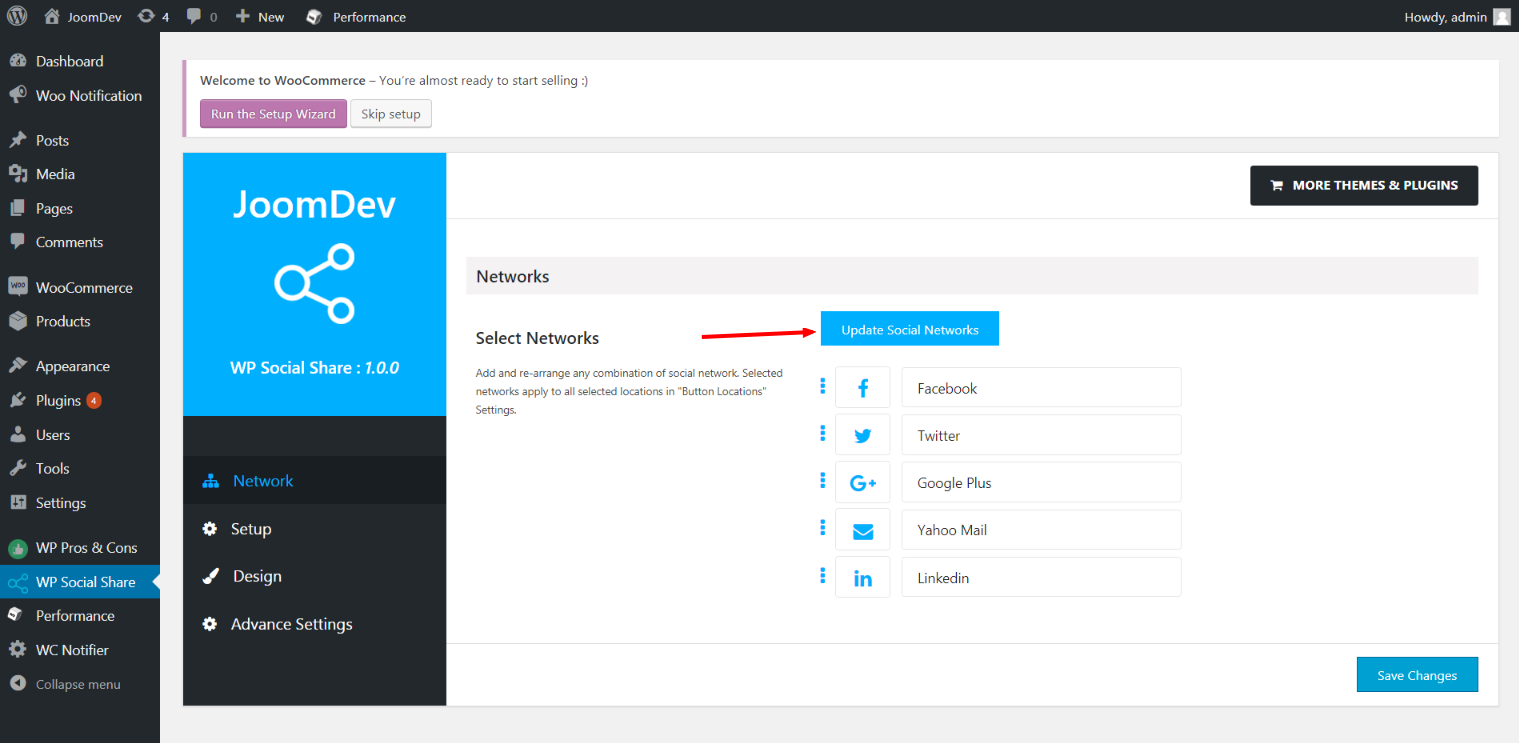
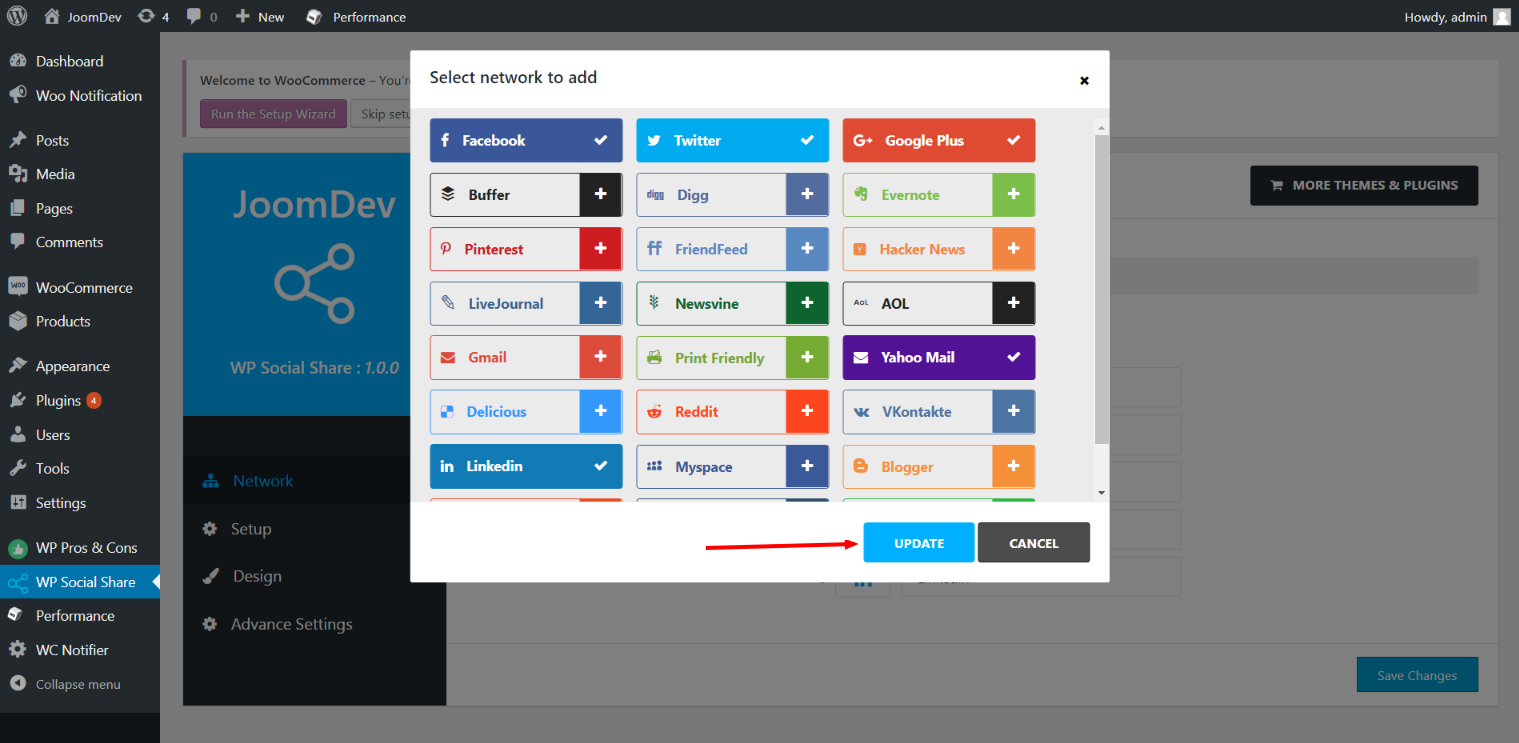
Click here to select networks
Update networks after selecting them.
Setup plugin and api settings.
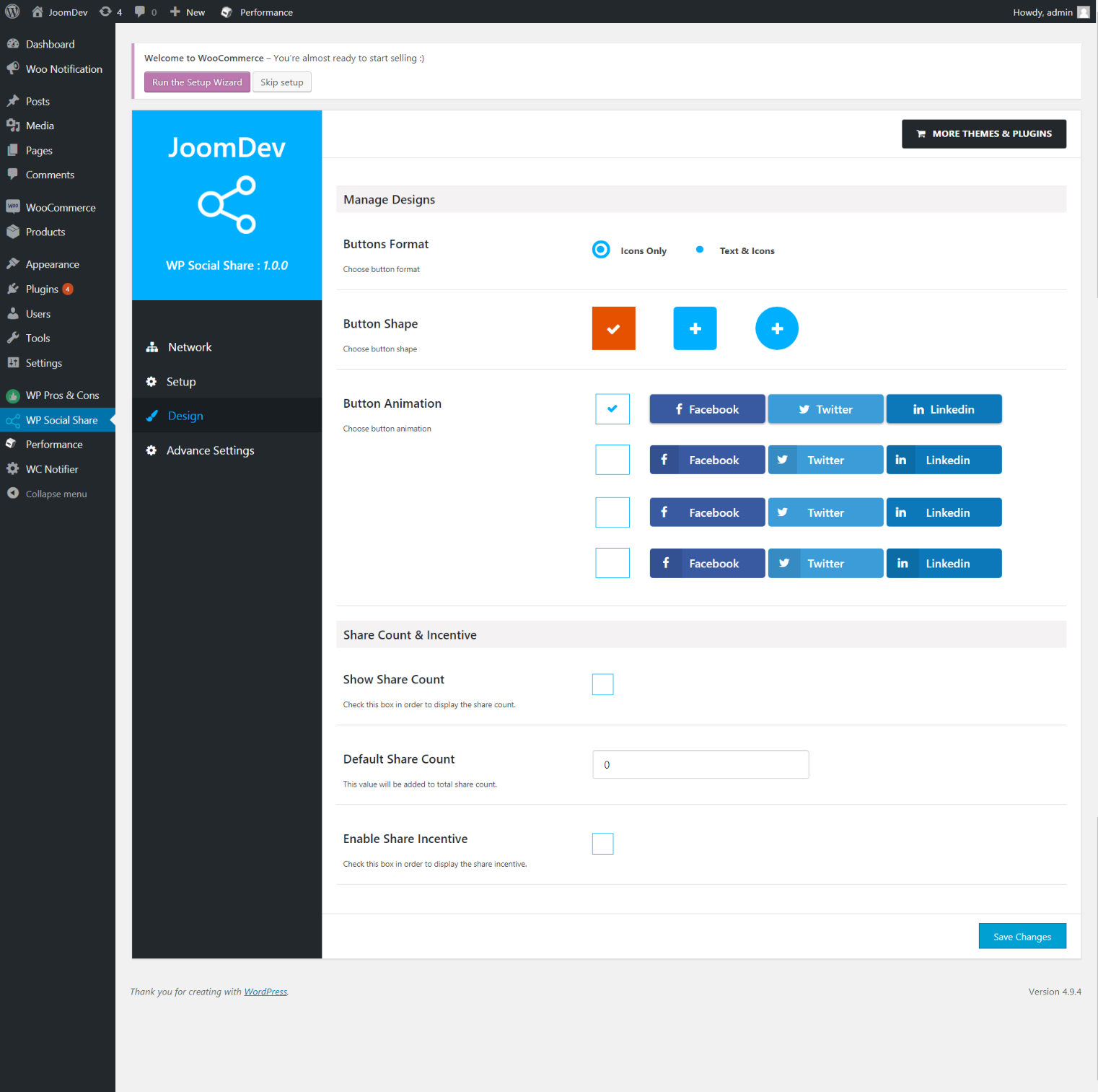
Select any design to display the buttons.
For mobile
For mobile

התקנה

Way 1: 1. Upload joomdev-wp-social-share.zip to the /wp-content/plugins/ directory 2. Extract the zip file. 3. Activate the plugin from wordpress plugins page. And you have done.

Way 2: 1. Go to plugins page in admin. 2. Click on Add New button. 3. Search for "WP ShareX". 4. Click install on WP Social Share. 5. Activate the plugin.

שאלות נפוצות

Installation Instructions

Way 1:
1. Upload joomdev-wp-social-share.zip to the /wp-content/plugins/ directory
2. Extract the zip file.
3. Activate the plugin from wordpress plugins page. And you have done.

Way 2:
1. Go to plugins page in admin.
2. Click on Add New button.
3. Search for "WP ShareX".
4. Click install on WP Social Share.
5. Activate the plugin.

How do I use this plugin?

See description.

סקירות

Excellent!

Arnab Mohapatra 16 במרץ 2018 1 reply
Incredible plugin. It allows to add any sharing button on the page simply and fast!
קראו את כל הסקירות

מפתחים

"WP ShareX" הוא תוסף קוד פתוח. האנשים הבאים תרמו ליצירת התוסף הזה.

תורמים
  • joomdev

ניתן לתרגם את "WP ShareX" לשפה שלך.

מעוניינים בפיתוח?

עיינו בקוד, ראו את הקוד ב-SVN repository, או הירשמו ללוג פיתוח באמצעות RSS.

שינויים

1.0.0

  • New Plugin initialized.

מטא

  • גרסה: 1.0.0
  • Last updated לפני 8 שנים
  • Active installations 10+
  • WordPress version 3.0 ומעלה
  • Tested up to 4.9.29
  • שפה
    English (US)
  • Tags
    sharesocialsocial share
  • תצוגה מתקדמת

דרוגים

5 out of 5 stars.
  • 1 5-star review 5 stars 1
  • 0 4-star reviews 4 stars 0
  • 0 3-star reviews 3 stars 0
  • 0 2-star reviews 2 stars 0
  • 0 1-star reviews 1 star 0

Your review

הצג הכל

תורמים

  • joomdev

תמיכה

יש לך משהו לומר? זקוק לעזרה?

פורום תמיכה

תרומה

האם ברצונך לקדם את התוסף הזה?

לתרום לתוסף זה

  • אודות
  • חדשות
  • שירותי אחסון
  • פרטיות
  • Showcase
  • תבניות
  • תוספים
  • Patterns
  • ללמוד
  • תמיכה
  • מפתחים
  • WordPress.tv ↗
  • Get Involved
  • Events
  • Donate ↗
  • Five for the Future
  • WordPress.com ↗
  • Matt ↗
  • bbPress ↗
  • BuddyPress ↗
WordPress.org
WordPress.org

וורדפרס בעברית

  • Visit our X (formerly Twitter) account
  • Visit our Bluesky account
  • Visit our Mastodon account
  • Visit our Threads account
  • Visit our Facebook page
  • Visit our Instagram account
  • Visit our LinkedIn account
  • Visit our TikTok account
  • Visit our YouTube channel
  • Visit our Tumblr account
קוד הוא שירה.
The WordPress® trademark is the intellectual property of the WordPress Foundation.