

תיאור
Jetpack – התוסף הטוב ביותר ל-WordPress
Jetpack הוא תוסף של WordPress שעוזר לך ליצור תוכן טוב יותר, להגדיל את כמות המנויים שלך, להרוויח כסף מהאתר ולוודא שהוא בטוח, מהיר ומאובטח. תהיה לך אפשרות להגדיל את היקף האתר, לעקוב אחרי התעבורה באתר אינטרנט עם Jetpack Stats וליצור תוכן משופר עם Jetpack AI. ניתן להתחיל ניוזלטר כדי להגדיל את הקהל ולהפוך את המעריצים למנויים משלמים. השירות של Jetpack Creator מאפשר לך ליצור תוכן יפה, ועם Jetpack Boost אפשר לשמור על אתר מהיר.
כיצד להתחיל בעבודה עם JETPACK
ההתקנה קלה, מהירה וללא תשלום. הגדרת Jetpack בתוך דקות. כדאי לנצל את היתרונות של האפשרויות המשופרות כגון אבטחת אתרים ב-WordPress וכלים לעיצוב ולצמיחה על ידי שדרוג לתוכנית בתשלום.
נדרשת לך תמיכה על ידי מומחים?
אנחנו מפעילים צוות גלובלי של נציגי תמיכה ששמחים לספק עזרה יעילה. אפשר לפרסם שאלות בפורום התמיכה שלנו או לפנות לתמיכה.
למה כדאי להשתמש ב-Jetpack באתר שלך
בטוח יותר. מהיר יותר. יותר תעבורה.
כלים לאבטחת WordPress, לביצועים, לשיווק ולעיצוב – התוסף של Jetpack נבנה על ידי מומחים ל-WordPress כדי לאפשר לאתרי WP לעבוד בצורה בטוחה ומהירה יותר ולעזור לך להגדיל את התעבורה לאתר שלך.
אבטחה אוטומטית לאתר בכל שעות היממה ובכל ימות השבוע
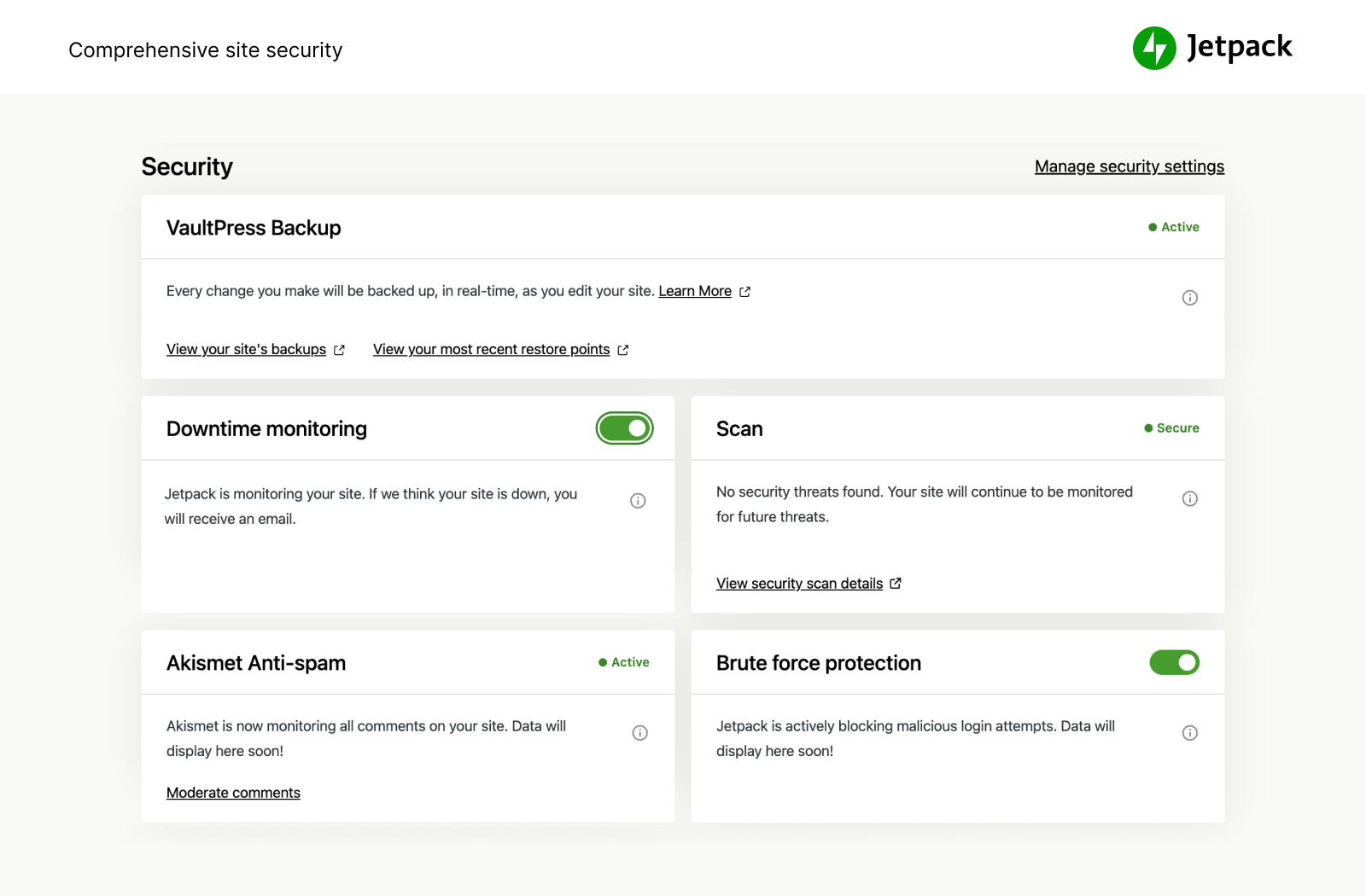
אנחנו שומרים על האתר שלך כדי לאפשר לך להתמקד בבניית האתר והעסק. Jetpack Security מספקת לאתר שלך ב-WordPress אבטחה מקיפה וקלה לתפעול, כולל גיבויים אוטומטיים בזמן אמת ושחזורים בקלות, סריקות לאיתור תוכנות זדוניות והגנה מפני תגובות זבל. אפשרויות חיוניות, כמו הגנה מפני ניחוש סיסמה ומעקב בסיסי אחר זמני השבתה / זמני פעולה, ניתנות בחינם.
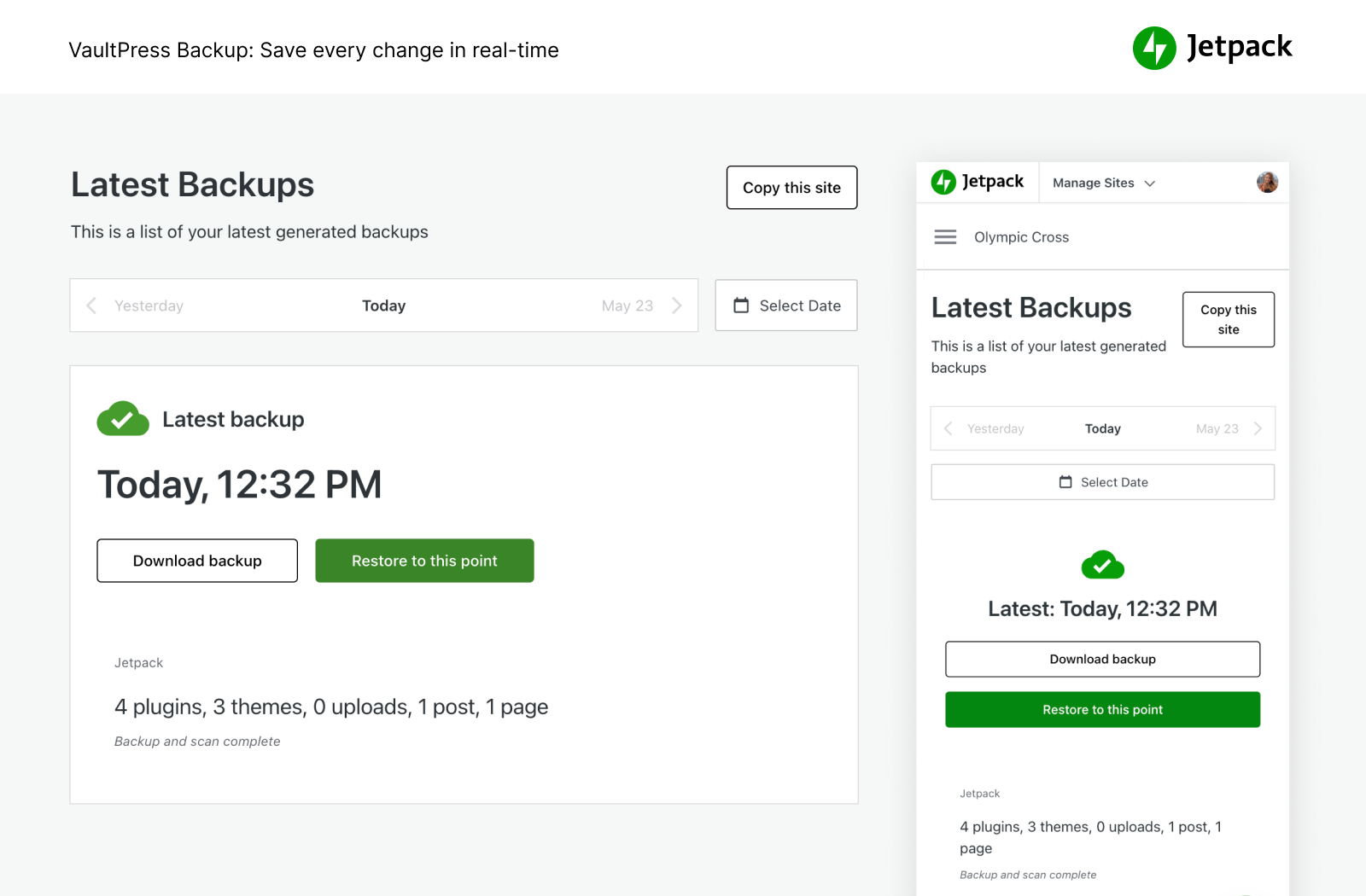
- לגבות את האתר שלך באופן אוטומטי בזמן אמת ולשחזר אותו לכל נקודה בציר הזמן בלחיצה אחת. שטח האחסון בענן מתחיל ב-10 GB, שהוא די והותר לרוב האתרים. במידת הצורך, אפשרויות אחסון נוספות זמינות. אפשרות מומלצת לחנויות של מסחר אלקטרוני, במיוחד של Woocommerce.
- לנהל העברה לחברת אחסון חדשה, להעביר קובצי ערכת עיצוב ותוספים למסד נתונים חדש, לשכפל בקלות אתרים, ליצור גיבויים מלאים של מסד הנתונים, לשכפל אתרים, לתקן אתרים שבורים על ידי שחזור גיבויים ישנים או להגדיר בקלות אתר לבדיקה על ידי יצירת שכפול של האתר הקיים שלך ב-WP.
- להציג כל שינוי באתר ואת האדם שביצע את השינוי ביומן פעילות. זו אפשרות נפלאה לעבודה משותפת, לאיתור באגים, לתחזוקה ולפתרון בעיות.
- אפשר לבחון את התעבורה הנכנסת לאתר שלך ב-WordPress עם חומת האש של אפליקציות האינטרנט (WAF) ולהחליט לאפשר או לחסום אותה על בסיס מגוון כללים.
- ניתן להוסיף שכבת הגנה חשובה לאתר שלך עם חומת האש של אפליקציות האינטרנט (WAF) שלנו, במיוחד כאשר התוקפים מנצלים באופן פעיל נקודות תורפה שלא תוקנו.
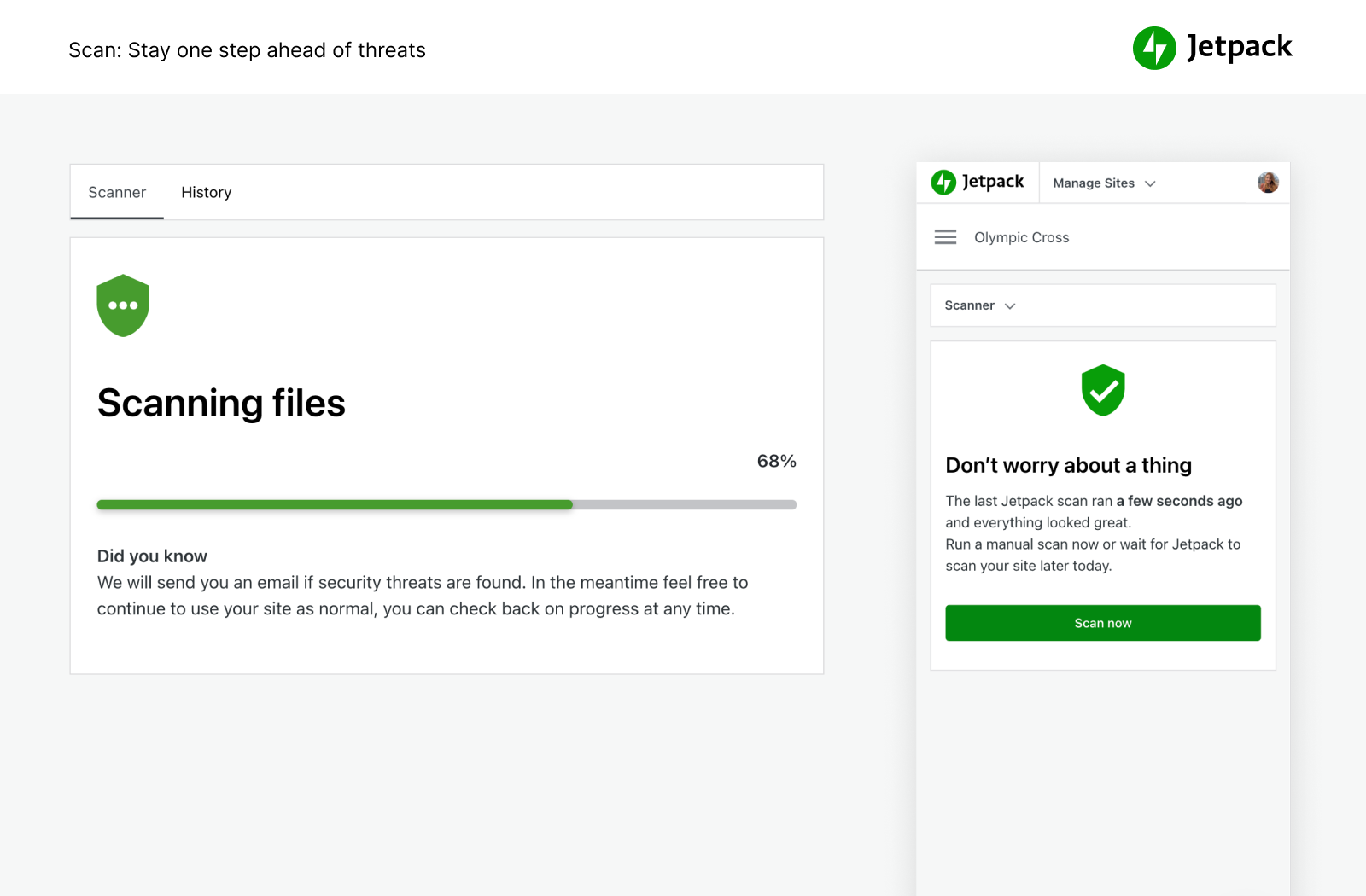
- ביצוע אוטומטי של סריקות לאיתור תוכנות זדוניות וסריקות אבטחה לאיתור איומי קוד אחרים. תיקונים בלחיצה אחת כדי לשחזר את האתר במקרה של תוכנות זדוניות.
- לחסום הודעות זבל בתגובות ובטפסים עם הכלים למניעת תגובות זבל שמופעלים על ידי Akismet.
- הגנה מפני התקפות של ניחוש סיסמה כדי להגן על עמוד הכניסה של WordPress מפני התקפות.
- לעקוב אחר זמני הפעולה / ההשבתה של האתר שלך ולקבל התראות מיידיות באימייל על כל שינוי במצב.
- תהליך התחברות מאובטח ל-WordPress.com שנמצא בשימוש של מיליוני אתרים עם אפשרות להגדרת 2FA (אימות דו-שלבי) להגנה נוספת.
- לעדכן באופן אוטומטי כל תוסף בנפרד כדי לנהל בקלות את התחזוקה והאתר.
אפשר לרכוש את כל כלי האבטחה של Jetpack בחבילת האבטחה שלנו. לחלופין אפשר לרכוש כל אחד מבין VaultPress Backup, Scan ו-Akismet Anti-spam בנפרד.
המהירות והביצועים הטובים ביותר
לקבל אתר במהירות הבזק עם Jetpack. רשת התוכן הגלובלית (CDN) והחינמית של Jetpack ממטבת את התמונות שלך באופן אוטומטי. זמני הטעינה של העמודים שלך יפחתו באופן משמעותי – אנחנו נמטב את התמונות שלך ונציג אותן מהרשת הגלובלית והעוצמתית שלנו ונאפשר פעולה מהירה יותר של האתר במכשירים ניידים באמצעות צמצום של רוחב פס וצמצום בעלויות!
- רשת CDN של תמונות לתמונות ולקובצי ליבה סטטיים, כגון CSS או JavaScript, נשלחת מהשרתים שלנו, לא מהשרתים שלך, אפשרות שחוסכת לך כסף ורוחב פס.
- בעזרת אחסון סרטוני וידאו ללא הגבלה, במהירות גבוהה וללא פרסומות, המבקרים יתמקדו בתוכן ולא בפרסומות או בהמלצות שעשויות לגרום להם לעזוב את האתר.
- החיפוש המותאם באתר הוא אפשרות עוצמתית שניתנת להתאמה באופן מלא. כדאי לעזור למבקרים באתר למצוא את התוכן הנכון באופן מיידי כדי שיקראו תוכן נוסף וירכשו מוצרים נוספים. האפשרות משתלבת בצורה טובה עם אתרי Woocommerce או אתרים של מסחר אלקטרוני כדי לעזור למבקרים לסנן מוצרים ולמצוא מה שהם מחפשים באתר מהר יותר.
- מומלץ לשימוש עם Jetpack Boost כדי להגיע למהירות מרבית באתרי WordPress.
כלים עוצמתיים לצמיחה
אפשר ליצור ולהתאים אישית את האתר שלך ב-WordPress, למטב אותו עבור מבקרים והכנסות, וליהנות משיפור בנתונים הסטטיסטיים. לבנות, לשתף וליהנות מצמיחה.
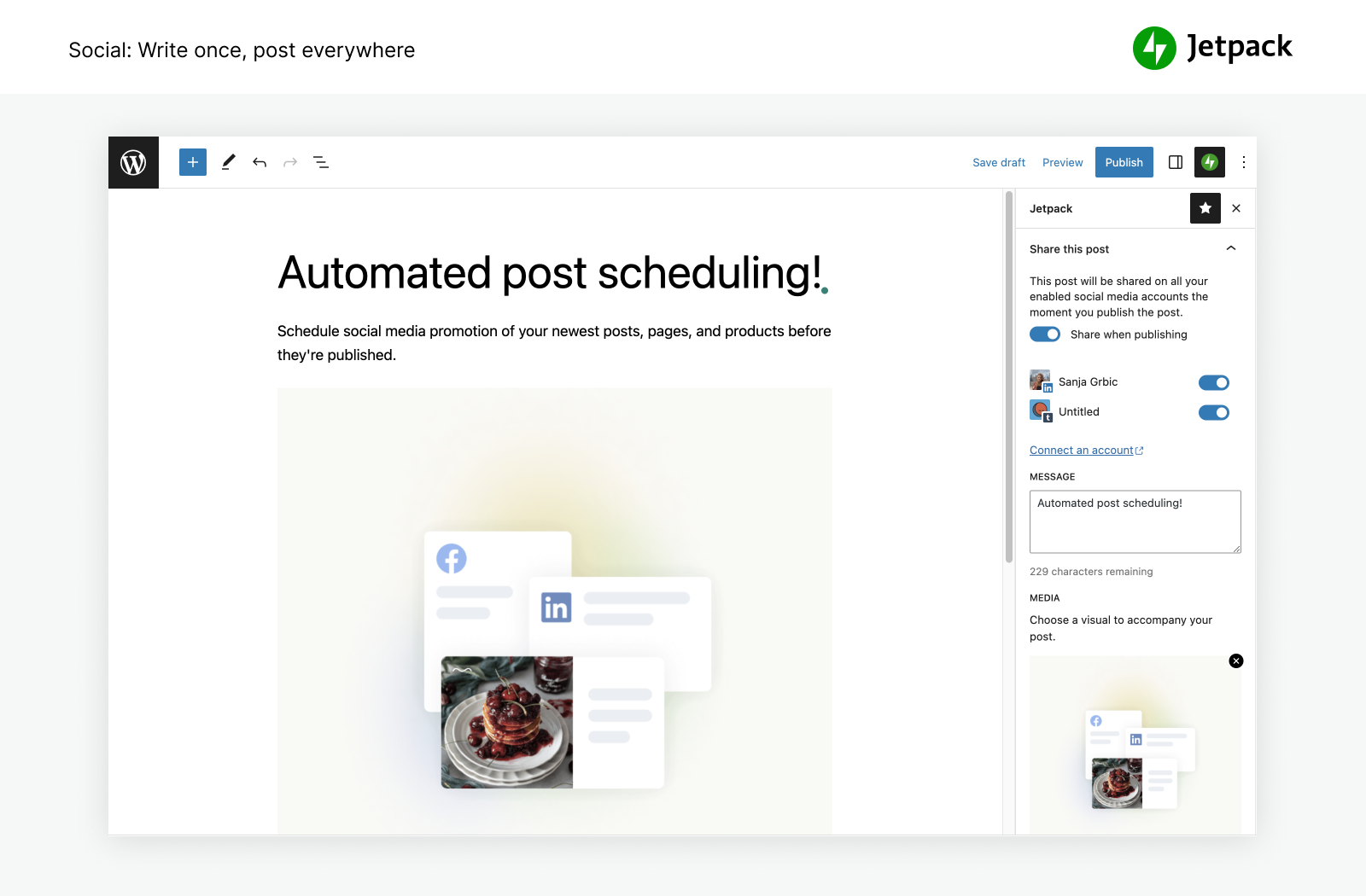
- לפרסם באופן אוטומטי את הפוסטים מהבלוג ואת המוצרים שלך ברשתות החברתיות בקלות בעזרת הכלים שלנו להתחברות אל פייסבוק, Bluesky, Threads, Tumblr, Mastodon, LinkedIn, ו-Nextdoor.
- לשתף בקלות פוסטים מ-Instagram בעמודים או בפוסטים בבלוג שלך.
- לגבות תשלומים או תרומות, למכור מוצרים ושירותים או למכור מינויים באמצעות שילוב פשוט עם השירותים של PayPal ו-Stripe.
- להגדיל את התעבורה לאתר באמצעות כלי SEO עבור Google, Bing, פייסבוק ו-WordPress.com. מפת האתר בפורמט XML נוצרת באופן אוטומטי.
- לפרסם באתר שלך כדי ליצור רווחים. רשת המודעות עובדת בשבילך באופן אוטומטי כדי למצוא מודעות איכותיות שימוקמו באתר שלך.
- לנהל את הכלים של Jetpack מכל מקום באמצעות האפליקציה של WordPress לנייד, זמינה ב-Apple iOS (למכשירי iPhone ו-iPad) וב-Google Android.
- רוצה למצוא פתרון לניהול קשרי לקוחות (CRM)? כדאי לבדוק את התוסף Jetpack CRM שעובד לצד Jetpack כדי להשתמש באפשרויות פשוטות ויעילות לבניית מערכת היחסים עם הלקוחות והלידים שלך.
נתונים סטטיסטיים עוצמתיים שיעזרו לך להגדיל את האתר
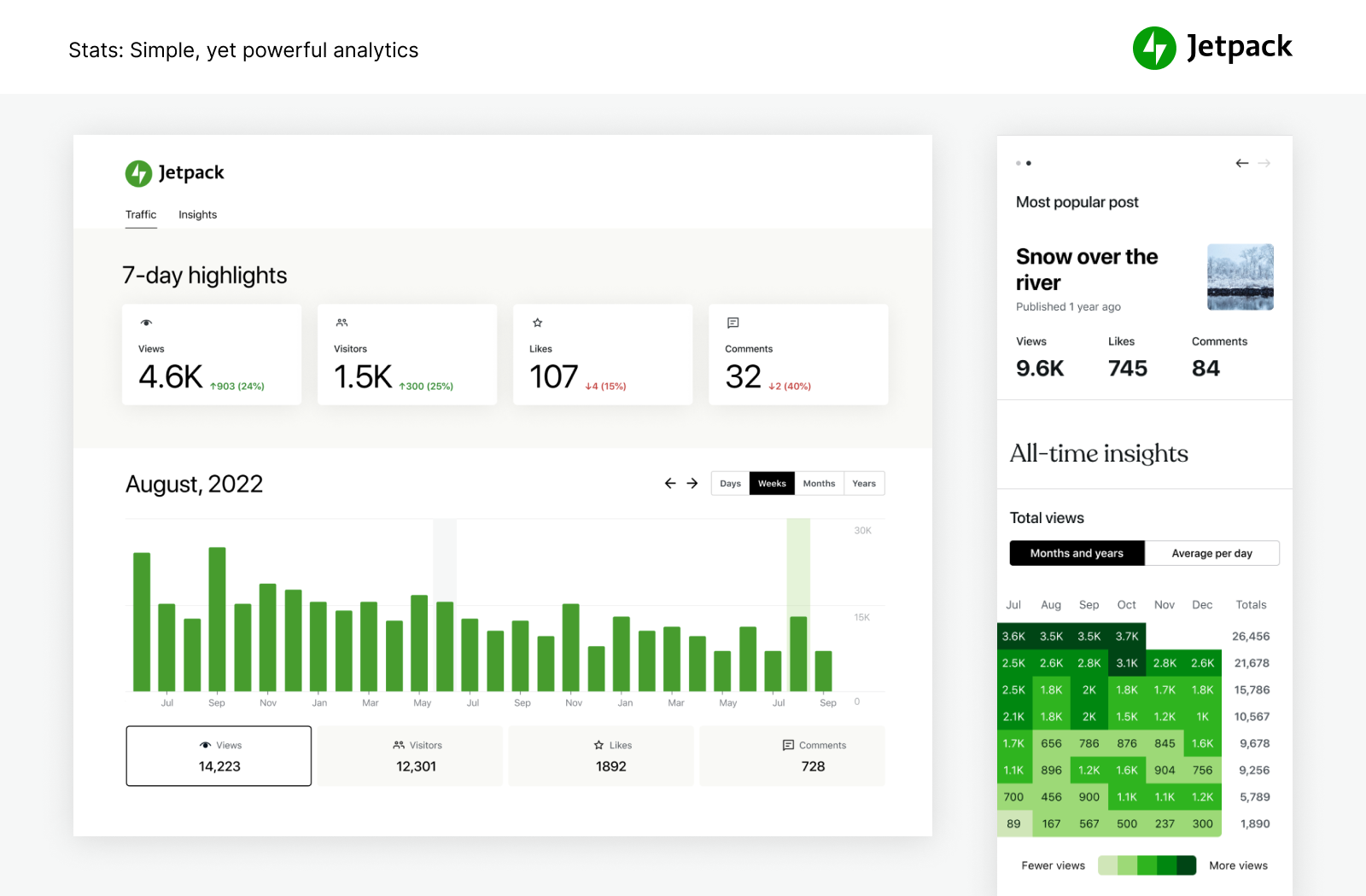
עם Jetpack Stats, לא חייבים ידע מקצועי במדעי נתונים כדי להבין את הביצועים של האתר.
- נתונים סטטיסטיים מתקדמים לאתר וכלי ניתוח שיעזרו לך להבין את הקהל שלך.
- לגלות מהם הפוסטים והעמודים עם הביצועים המובילים.
- לראות מי יוצר את התוכן הפופולרי ביותר בצוות שלך בעזרת המדדים של המחברים.
- לעקוב בקלות אחר ההרגלים ביצירת תוכן והתובנות לגביה במהלך השנים.
- להציג מגמות שבועיות ושנתיות עם פרטים חשובים משבעת הימים האחרונים ב'סקירה שנתית'.
- לראות באילו רשתות חברתיות פופולריות התוכן שלך משותף הכי הרבה.
- לגלות נתונים בזמן אמת על מבקרים, לייקים ותגובות.
- לקבל תובנות מקיפות על המקומות שמפנים תעבורה לאתר שלך.
- לגלות מאילו מדינות המבקרים באתר מגיעים.
- למדוד קליקים על קישורים, ניגונים של סרטונים והורדות של קבצים בתוך האתר.
לכתוב בצורה חכמה יותר, לא מסובכת יותר.
הכלי האינטואיטיבי והעוצמתי של הבינה המלאכותית יעזור לך ליצור תוכן מקצועי בקלות רבה. השירות של Jetpack AI Assistant משתלב בצורה יעילה בעורך של WordPress וכולל ממשק אינטואיטיבי ליצירת אינטראקציה עם הבינה המלאכותית.
הבלוק העוצמתי הזה מאפשר לך ליצור תוכן מגוון לפי דרישה, וכך לצמצם באופן משמעותי את הזמן והמאמץ שנדרשים בתהליך יצירת התוכן.
ניתן להזין הצעה ב-Jetpack AI Assistant ולראות איך השירות יוצר פוסטים מרשימים בבלוג, עמודים מפורטים, רשימות מובנות וטבלאות מורכבות – הכול מותאם לפי הדרישות שציינת.
- העוצמה של הבינה המלאכותית זמינה ישירות מהעורך של האתר.
- להתחיל להשתמש בתוכן איכותי שנוצר בהתאם לדרישות שלך.
- להתמיד ביצירת תוכן בסטנדרטים מקצועיים ללא בעיה.
- תרגומים למספר שפות שמבוצעים על ידי הבינה המלאכותית זמינים בלחיצת כפתור כדי להתגבר על כל מחסום שפה.
לקדם את התוכן שלך בקלות עם Jetpack Blaze
באפשרותך למצוא מעריצים חדשים על ידי קידום הפוסטים והעמודים שלך במיליוני אתרים ברשת הפרסומות של WordPress.com ו-Tumblr.
- ליצור את הפרסומת שלך. לבחור את הקהל שלך. להגדיר את תקציב שלך. התהליך באמת כל כך פשוט.
- להגדיל את החשיפה שלך בכמה דולרים.
כלי עיצוב פשוטים
ניתן להתאים את האתר שלך במהירות כדי ליצור אתר בולט – ללא צורך בכתיבת קוד.
- ערכות עיצוב – ערכות עיצוב פשוטות של WordPress כדי להתחיל לבנות את האתר שלך.
- פוסטים קשורים – להשאיר את המבקרים באתר שלך על ידי הצגה אוטומטית של תוכן קשור שאולי יעניין אותם.
- כלים לגלריות ולמצגות – גלריות תמונות, סליידר קרוסלה ומצגות של תמונות באתרים ובחנויות של WP.
- מינויים – לאפשר למבקרים לקבל בקלות הודעות על הפוסטים והתגובות האחרונים שפרסמת.
- טופס ליצירת קשר – לבנות בקלות טופסי יצירת קשר ללא הגבלה, בחינם וללא צורך בכתיבת קוד. לקבל הודעות לאימייל על כל תגובה. לעבוד בשילוב עם פתרונות אימייל כגון Creative Mail כדי להגיע ללקוחות וללידים שלך במהירות. להתחבר אל מניעת תגובות הזבל של Jetpack (מופעל על ידי Akismet) כדי לסנן טפסים שנשלחים.
- תמיכה ב-oEmbed – אפשר להטמיע בקלות תמונות, פוסטים וקישורים מפייסבוק ומ-Instagram.
שילובים
התוסף של Jetpack מתעדכן מדי חודש כדי להבטיח שילוב יעיל עם התוספים המובילים של WordPress ומוצרים טכנולוגיים אחרים.
- נבנה עבור WooCommerce: השירותים של Jetpack ושל WooCommerce נבנו על ידי Automattic. Backup, Scan, Anti-spam, משולבים בצורה מושלמת בחנויות של Woo ושל מסחר אלקטרוני.
- התוסף של Jetpack תואם בצורה מלאה עם גרסת 2.0 של התוסף הרשמי של AMP ל-WordPress.
- אפשר להבין טוב יותר את הלקוחות שלך ואת תהליך השיווק באמצעות שילוב עם Google Analytics (GA).
- פלטפורמות של רשתות חברתיות: אינסטגרם, פייסבוק, Tumblr, LinkedIn, Threads, Bluesky ו-Nextdoor.
- בלוקים פשוטים להתאמה אישית של האתר: Pinterest, WhatsApp, נגן פודקאסטים, קובצי GIF, מפות, גלריה פרושה, הצגת שקופיות.
- מעבדי תשלומים: אפשר לגבות בקלות תשלומים או תרומות ולמכור מוצרים דרך Stripe ו-PayPal.
- תוספים למהירות ולביצועים באתר: עבודה משולבת ויעילה עם WP Super Cache by Automattic ו-Cloudflare.
- טופס ליצירת קשר: מניעת תגובות זבל (מופעל על ידי Akismet) חוסמת תגובות זבל בטפסים של Jetpack, Contact Form 7, Ninja Forms, Gravity Forms, Formidable Forms ועוד.
- שילובים טכנולוגיים אחרים: Instagram, Creative Mail, Mailchimp, Calendly, Whatsapp, Pinterest, Revue ועוד.
לעיין באפשרויות נוספות של Jetpack
אהבת את Jetpack? כדאי לבדוק גם מוצרים וחבילות מוצרים אחרים
- Jetpack Complete – חבילת השירותים המלאה של Jetpack עם אבטחה בזמן אמת, ביצועים מובילים וכל מה שנדרש כדי שהעסק שלך יצמח.
- Jetpack Security – חבילת האבטחה שלנו מספקת לאתר שלך ב-WordPress אבטחה מקיפה וקלה לתפעול, כולל גיבויים בזמן אמת, חומת אש של אפליקציות אינטרנט, סריקות לאיתור תוכנות זדוניות והגנה מפני תגובות זבל.
- Jetpack Backup – לשמור כל שינוי ולחזור במהירות למצב מחובר באמצעות שחזורים בלחיצה אחת מ-Jetpack VaultPress Backup.
- Jetpack Scan – להגן על האתר שלך מגורמים זדוניים הודות לחומת אש של אפליקציות אינטרנט (WAF) שזמינה תמיד, לסריקות אוטומטיות לאיתור תוכנות זדוניות ולתיקונים בלחיצה אחת.
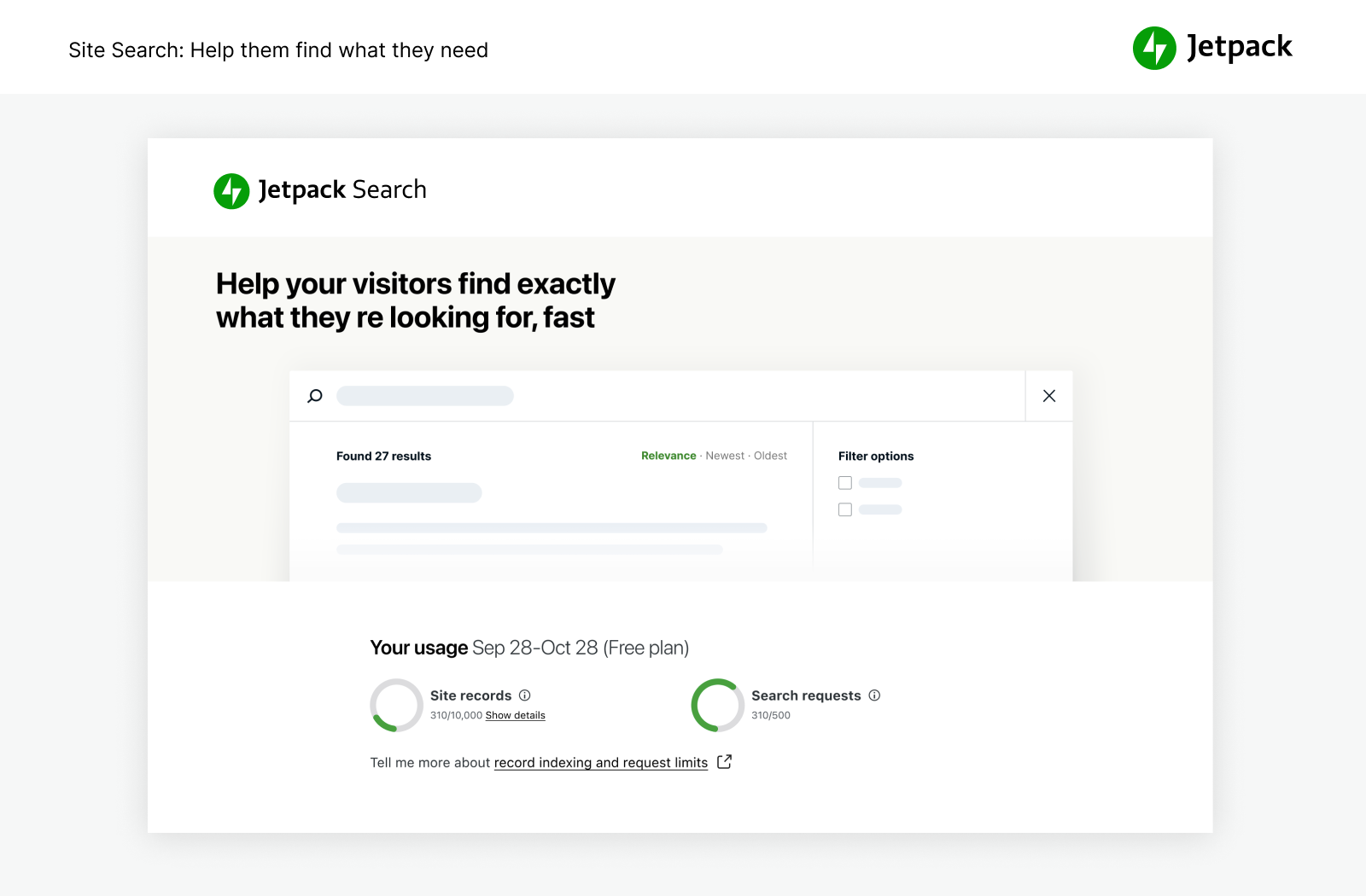
- Jetpack Search – לספק למבקרים באופן מיידי את התוצאות הרלוונטיות ביותר Jetpack Search. ללא כתיבת קוד, ללא פרסומות וללא מעקב.
- Jetpack Boost – לזרז את הביצועים של האתר. ליהנות מאותם יתרונות לביצועים שמהם נהנים האתרים המובילים בעולם, ללא צורך בעבודה של מפתחים.
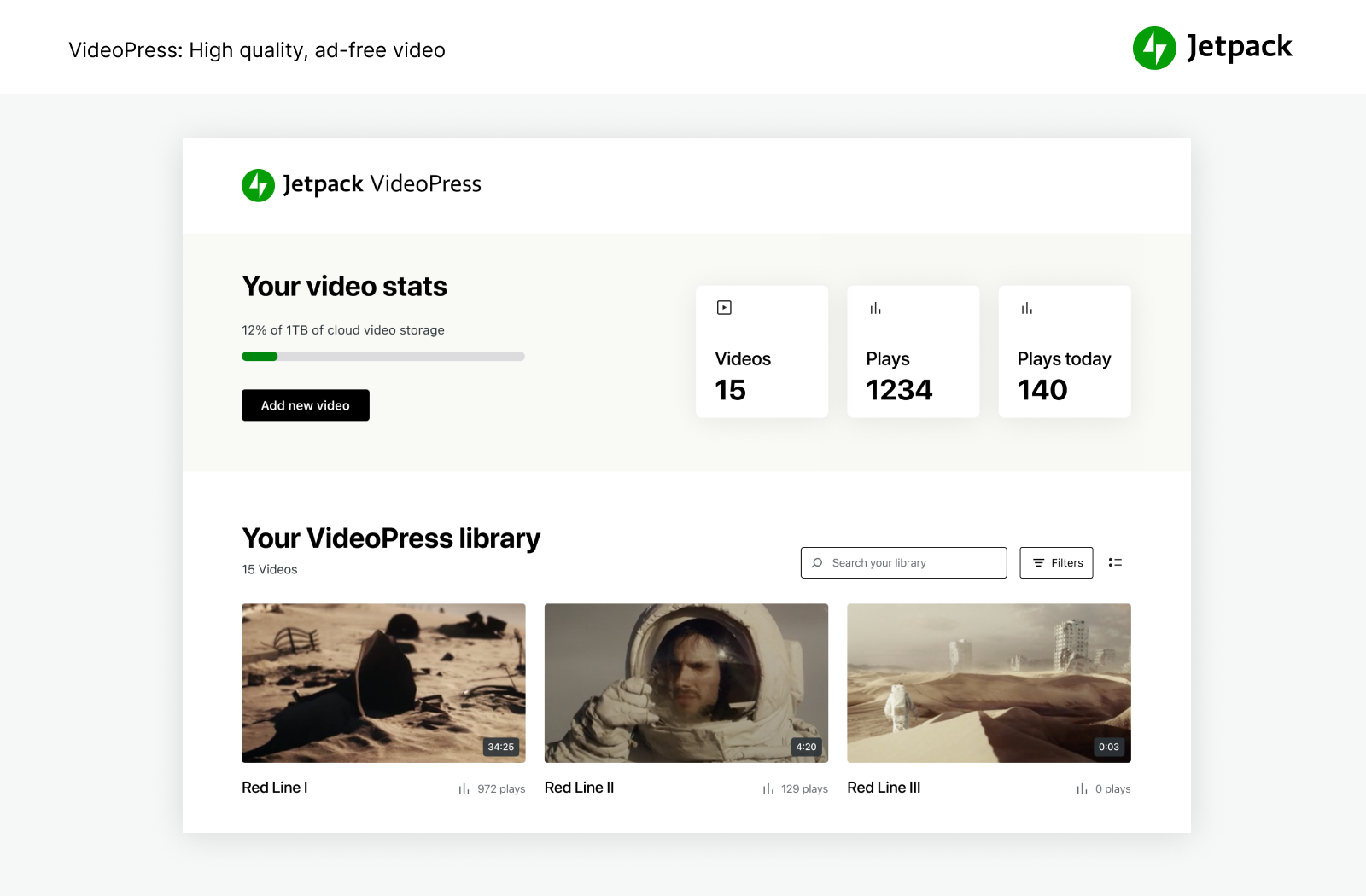
- Jetpack VideoPress – וידאו באיכות מדהימה בלי התעסקות מיותרת. לגרור ולשחרר סרטוני וידאו באמצעות העורך של WordPress ולהתמקד בתוכן במקום בפרסומות.
- Jetpack AI – להפוך את הרעיונות שלך לתוכן מוכן לפרסום במהירות האור.
- Jetpack Stats – לעקוב אחרי ביקורים באתר, פוסטים פופולריים, מנויים על הניוזלטר ועוד.
- Jetpack Social – לשתף באופן אוטומטי את התוכן של האתר בפלטפורמות של הרשתות החברתיות ממקום אחד.
- Jetpack CRM – Jetpack CRM מכיל את כל הכלים שיידרשו לך להרחבת העסק. בנוסף, זוהי מערכת מודולרית שניתן להתאימה לצרכיך האישיים.
- Jetpack Creator – לעצב תוכן מהמם, להגדיל את מאגר המנויים ולהפיק רווחים מהנוכחות ברשת.
- Jetpack Newsletter – ניתן להפוך את הפוסטים בבלוג שלך לניוזלטרים כדי להגיע בקלות למנויים. ניתן להציע מינויים בתשלום ולהרוויח כסף מהתוכן.
להגן על האתר מפני תגובות זבל
- Akismet Anti-spam – למחוק באופן אוטומטי תגובות זבל מהתגובות ומהטפסים באתר. באפשרותך לחסוך זמן, לקבל עוד תגובות ולספק למבקרים באתר חוויה טובה יותר – ללא כל פעולה מצידך.
באפשרותך לקדם את התוכן כדי להגדיל את מספר הצפיות
- Blaze – למצוא מעריצים חדשים על ידי קידום הפוסטים והעמודים שלך במיליוני אתרים ברשת הפרסומות של WordPress.com ו-Tumblr.
רוצה לנהל יותר מאתר אחד?
- Jetpack Manage– כל הכלים הדרושים לניהול מספר אתרי WordPress. אפשר לפקח על אבטחת האתר, הביצועים והתעבורה, וגם לקבל התראה במקרה שדרושה פעולה באתר.
לעוף גבוה יותר עם תוספים נפרדים
חלמת אי פעם שיהיה לך רק כלי אחד של Jetpack בתוסף משל עצמו? עכשיו זה אפשרי. כדאי לבדוק את התוספים הנפרדים שלנו ולהתקין רק את מה שנחוץ לך.
צילומי מסך
בלוקים
תוסף זה מספק 49 בלוקים.
- Subscriber Login Show links for subscribers to login, logout, or manage their subscription.
- Tock Reserve a table at your restaurant with Tock.
- Nextdoor Embed a Nextdoor post for your neighbors on your blog.
- Image Compare Compare two images with a slider. Works best with images of the same size.
- Tiled Gallery Display multiple images in an elegantly organized tiled layout.
- Eventbrite Checkout Embed Eventbrite event details and ticket checkout.
- AI Assistant Elevate your content creation with our AI-powered Gutenberg Block, offering seamless customization and generation. Bear in mind that, as an evolving tool, occasional imprecision may occur.
- Story Add an interactive story.
- Pinterest Embed a Pinterest pin, board, or user.
- OpenTable Book a reservation with OpenTable.
- Map Add an interactive map showing one or more locations.
- Calendly Embed a calendar for customers to schedule appointments.
- Blogroll Share the sites you follow with your users.
- Payments Sell products and services or receive donations on your website.
- Slideshow Display multiple images in sequential order.
- Writing Prompt Answer a new and inspiring writing prompt each day.
- Donations Form Collect one-time, monthly, or annually recurring donations.
- Blog Stats Show a stats counter for your blog.
- Contact Info Add an email address, phone number, and physical address with improved markup for better SEO results.
- Mailchimp Allow readers to join a Mailchimp audience.
- Subscribe Subscribe to this blog's posts as a newsletter.
- Send A Message Let your visitors send you messages with the tap of a button.
- Related Posts Display a list of related posts.
- Top Posts & Pages Display your most popular content.
- Voice to content Transform your spoken words into a post ready to publish with AI.
- Latest Instagram Posts Display an automatically updating list of the latest posts from your Instagram feed.
- Sharing Buttons Give your readers the ability to easily share your content with X, Facebook, Tumblr, LinkedIn, and a host of other services to help spread your message across the web.
- Ad Earn income by adding high quality ads to your post.
- Jetpack AI Search Provide a summarized answer to questions, trained on the sites content. Powered by AI.
- Business Hours Display opening hours for your business.
- Google Docs (Beta) Embed a Google Document.
- Cookie Consent Display a customizable cookie consent banner. To display this block on all pages of your site, please add it inside a Template Part that is present on all your templates, like a Header or a Footer.
- Podcast Player Select and play episodes from a single podcast.
- Google Calendar Embed a Google Calendar.
- Payment Buttons Sell products and subscriptions.
- GIF Search for and insert an animated image.
- Goodreads Features books from the shelves of your Goodreads account.
- Markdown Add headings, lists, or links to plain text with ease.
- Star Rating Rate movies, books, songs, recipes — anything you can put a number on.
- Like Give your readers the ability to show appreciation for your posts.
- Recipe (Beta) Add images, ingredients and cooking steps to display an easy to read recipe.
- Repeat Visitor Control block visibility based on how often a visitor has viewed the page.
- Paid Content Restrict access to your content for paying subscribers.
- Form Create forms to collect data from site visitors and manage their responses.
- VideoPress Embed a video from your media library or upload a new one with VideoPress.
- Video Playlist VideoPress powered list of videos in a single customizable player. Build the playlist from your VideoPress library or video links.
- Paywall Limit access to the content below this block to chosen subscribers.
- Payment Button Button allowing you to sell products and subscriptions.
- Sharing Button Display a sharing button, allowing users to share your post.
התקנה
התקנה אוטומטית
ההתקנה קלה, מהירה וללא תשלום. להגדיר את Jetpack בדקות ספורות.
חלופות ידניות
לחלופין, אפשר להתקין את Jetpack דרך ספריית התוספים או להעלות את הקבצים ידנית לשרת שלך ולעקוב אחר ההוראות שמוצגות על גבי המסך. אם נדרש לך סיוע נוסף, מומלץ לקרוא את ההוראות המפורטות שלנו.
שאלות נפוצות
-
האם Jetpack חינמי?
-
כן! אפשרויות הליבה של Jetpack ניתנות בחינם לאתרים שאינם מסחריים.
אלו כוללים: נתונים סטטיסטיים של האתר, רשת CDN מהירה לתמונות, פוסטים קשורים, ניטור זמן השבתה, הגנה מפני התקפות של ניחוש סיסמה, שיתוף אוטומטי ברשתות החברתיות, התאמה אישית של הסרגל הצדי, כלי SEO (מיטוב למנועי חיפוש) ואפשרויות רבות נוספות.
-
האם כדאי לי לרכוש תוכנית בתשלום?
-
התשובה תלויה באתר שלך ובסוג האבטחה, הביצועים והעיצוב שנדרשים לך. אם האתר שלך מפיק עבורך רווח כספי, התשובה היא 'כן'. למשל, השירותים בתשלום של Jetpack כוללים גיבויים בזמן אמת, סריקות אבטחה, סינון תגובות זבל, אחסון סרטוני וידאו, כלים למונטיזציה של האתר, חיפוש, עדיפות בקבלת תמיכה ועוד.
לקבלת מידע נוסף על שירותי האבטחה חיוניים, השירותים של WordPress שאנחנו מספקים וכדי לקרוא איך אנחנו יכולים לשפר את האתר שלך, אפשר לעיין בעמוד התוכניות שלנו.
-
מדוע יש לי צורך בחשבון WordPress.com?
-
הואיל ואתר WordPress.com מאחסן ומספק כל שירותי Jetpack, נדרש חשבון של WordPress.com כדי להפעיל את Jetpack.
-
כבר יש לי חשבון ב-WordPress אבל השירות של Jetpack לא עובד. מה השגיאה שבה נתקלת?
-
החשבון שלך ב-WordPress.com שונה מהחשבון שמשמש אותך להתחברות ל-WordPress באחסון עצמי. אם הצלחת להתחבר ל-WordPress.com, כבר יש לך חשבון ב-WordPress.com. אם לא הצלחת, ניתן ליצור חשבון כזה בקלות במהלך ההתקנה.
-
איפה אני רואה את הסטטיסטיקות?
-
לאחר שהתקנת את Jetpack, הנתונים הסטטיסטיים שלך יהיו זמינים בלוח הבקרה של Jetpack ודרך האפליקציה הרשמית של WordPress לנייד.
-
איך אני תורם לג'טפק?
-
מפתחים בכל הרמות יכולים לתרום במספר דרכים. מידע נוסף על תרומה ל-Jetpack או על הצטרפות לתוכנית הביטא שלנו.
-
אילו עוד אפשרויות כלולות ב-Jetpack?
-
התוסף של Jetpack הוא ערכת הכלים האולטימטיבית לעבודה בעורך הקלאסי ובעורך הבלוקים שמספקת כל מה שנדרש לך כדי לבנות אתר מקצועי. התוסף כולל את האפשרויות הבאות:
- יומן פעילות – לעקוב אחר כל השינויים באתר לצורך איתור באגים, פתרון בעיות או פעולות תחזוקה
- מודעות – ליצור רווחים מהאתר באמצעות תצוגה של מודעות באיכות גבוהה.
- מתמטיקה יפה – להשתמש בשפת הסימון LaTeX לכתיבת משוואות מתמטיות מורכבות, נוסחאות ועוד.
- סליידר קרוסלה – לספק חווית גלישה נהדרת בתצלומים במסך מלא עם תגובות ומטא-נתונים של EXIF.
- CDN – הכלי עוזר לך לטעון עמודים מהר יותר ומאפשר ל-JetpacK לשפר את תצוגת התמונות ולשלוח את התמונות והקבצים הסטטיים (כגון CSS ו-JavaScript) מהרשת הגלובלית של השרתים שלנו.
- תגובות – להחליף את טופס התגובות שמוגדר כברירת מחדל עם מערכת משופרת שמשלבת אפשרויות להתחברות לרשתות החברתיות.
- לייקים לתגובה – לאפשר לקוראים לסמן 'לייקים' לתגובות כדי לשקף את הסכמתם, אישורים או הערכתם.
- טופס ליצירת קשר – מאפשר לקוראים שלך ליצור איתך קשר ללא רישום של כתובת האימייל הפרטית שלך.
- CSS מותאם אישית – להתאים את המראה של ערכת העיצוב ללא צורך ביצירה של ערכת עיצוב בת או דאגה שהעדכונים ידרסו את ההתאמות האישיות.
- סוגי תוכן מותאמים אישית — האפשרות מוסיפה סוגי תוכן מותאמים אישית (CTP) לאתר.
- מעקב אחר זמני השבתה – האפשרות שולחת התראות באמצעות אימייל כאשר האתר שלך מושבת כדי לאפשר לך לשמור על זמן הפעולה.
- וידג'טים נוספים בסרגל הצדי – וידג'טים נוספים שאפשר להוסיף לבלוג, כולל קישורים ל-RSS ותיבות לייקים מפייסבוק.
- כרטיסיות מרחפות של Gravatar – להציג את הפרופיל של ב-Gravatar לצופים בבלוג.
- Google Analytics (GA) — לעקוב אחר הנתונים הסטטיסטיים של האתר שלך ב-WordPress עם השירות של Google Analytics.
- גלילה אינסופית – פעולה זו מאפשרת טעינה אוטומטית של קבוצת הפוסטים הבאה כאשר הקוראים מגיעים לתחתית העמוד.
- ממשק JSON API – מאמת אפליקציות ושירותים להתחברות לאתר באופן מאובטח ומאפשר להם להשתמש בתוכן שלך או להציע פונקציונליות חדשה.
- לייקים – לאפשר לקוראים להביע את הערכתם לפוסטים שלך בלחיצה אחת.
- Markdown – מאפשר לך לכתוב פוסטים ותגובות עם קישורים, רשימות וסגנונות אחרים באמצעות תווים רגילים וסימני פיסוק. כלי ה-Markdown משמש כותבים ובלוגרים שרוצים לכתוב טקסט עשיר בקלות ובמהירות בלי להוריד את הידיים מהמקלדת.
- איתור תוכנות זדוניות – סריקות אוטומטיות לאיתור תוכנות זדוניות שיעזרו לך להגן על אתר WP שלך באמצעות פתרון אוטומטי.
- הודעות – לקבל הודעות עבור תגובות ולייקים חדשים בסרגל הניהול ובמכשיר הנייד.
- תמיכה ב-oEmbed – אפשר להטמיע בקלות תמונות, פוסטים וקישורים מפייסבוק ומ-Instagram.
- ניהול תוספים – מאפשר תחזוקה פשוטה של האתר על ידי בחירה בתוספים שמתעדכנים באופן אוטומטי.
- פרסום פוסטים באימייל – לפרסם פוסטים באמצעות כל שירות אימייל.
- הגנה – להגן על האתר שלך מפני ניסיונות מסורתיים ומבוזרים של התחברות על ידי ניחוש סיסמה.
- שיתוף אוטומטי – לשתף פוסטים חדשים ברשתות החברתיות באופן אוטומטי או לקבוע מועד עתידי לשיתוף עם הודעות מותאמות אישית.
- פוסטים קשורים – להציג פוסטים בנושאים דומים לקוראים שלך כהמלצה להמשך קריאה לאחר שיסיימו לקרוא את הפוסט הנוכחי.
- אימות מאובטח – תהליך התחברות מאובטח ל-WordPress.com שנמצא בשימוש של מיליוני אתרים עם אפשרות להגדרת 2FA (אימות דו-שלבי) להגנה נוספת.
- סורק האבטחה – אנטי-וירוס ואיתור איומים אחרים לאתר שלך ב-WordPress עם פתרון בעיות אוטומטי.
- חיפוש – כלי עוצמתי שמחליף את החיפוש המובנה של WordPress, מופעל על ידי Elasticsearch בענן של WordPress.com
- כלי SEO – למטב את האתר שלך למנועי החיפוש באמצעות הכלים שלנו ל-SEO.
- שיתוף – להוסיף כפתורי שיתוף לפוסטים שלך בבלוג כדי שהקוראים יוכלו לשתף את התכנים שלך.
- הטמעות של שורטקוד – להטמיע סרטוני וידאו מ-YouTube ותכנים אחרים של מדיה מהאינטרנט.
- גיבוי האתר – גיבוי אוטומטי של האתר בשלמותו. לשכפל, להעתיק להעביר, להעביר לחברות אחסון חדשה ולשחזר בקלות. בעבר היה מוכר בשם VaultPress.
- נתונים סטטיסטיים של האתר – להציג את הביקורים באתר לפי תאריך ואת העמודים והפוסטים הפופולריים ביותר.
- אימות האתר – לאמת את האתר שלך לשימוש ב-Google, ב-Bing וב-Pinterest ובכלים של האתרים האלה.
- מפת אתר – ליצור רשימה של העמודים שברצונך להוסיף לאינדקס של מנועי חיפוש כגון Google או Bing.
- סינון תגובות זבל – לסנן באופן אוטומטי הודעות זבל בתגובות, בביקורות המוצר או בשליחה של טפסים ליצירת קשר.
- מינויים – לאפשר למבקרים לקבל הודעות על הפוסטים והתגובות האחרונים שפרסמת.
- גלריות פרושות – להציג את גלריית התמונות שלך בשלושה סגנונות שונים: פסיפס מלבני, פסיפס מרובע ורשת עגולה.
- אחסון וידאו – להעלות סרטוני וידאו לאחסון מהיר ואמין ב-WordPress.com.
- קישורים מקוצרים דרך WP.me – להשתמש בקישורים קצרים ופשוטים לפוסטים ולעמודים שלך באמצעות שם הדומיין wp.me.
- נראות הווידג'טים – להגדיר את הווידג'טים כדי להציג אותם בעמודים מסוימים בלבד.
- סרגל הכלים של WordPress.com – סרגל הכלים של WordPress.com מחליף את סרגל הניהול המוגדר כברירת מחדל וכולל קישורים ישירים ל-Reader, לכל האתרים שלך, לפרופיל שלך ב-WordPress.com ולהודעות.
-
אילו בלוקים כלולים ב-Jetpack?
-
בלוקים הם המקטעים השונים שמהם מורכב האתר. יש מספר רב של סוגי בלוקים שזמינים לשימושך. אפשר לערוך או להזיז כל בלוק בנפרד מבלוקים אחרים. הרשימה הבאה מפרטת את כל הבלוקים שזמינים כעת ב-Jetpack.
- בלוק המודעות – בלוק המודעות מאפשר לך להוסיף יחידה של Jetpack Ad בכל אזור בתוכן של הפוסט או העמוד.
- בלוק 'שעות פעילות' – הבלוק 'שעות פעילות' מאפשר לך להציג את שעות הפעילות של העסק שלך באתר.
- בלוק Calendly – הבלוק Calendly של Jetpack מאפשר למבקרים שלך לקבוע פגישות אישיות, אירועים קבוצתיים ופגישות צוות ישירות באתר שלך.
- בלוק 'פרטים ליצירת קשר' – הבלוק 'פרטים ליצירת קשר' מאפשר לך להוסיף את הפרטים שלך (כתובת אימייל, כתובת פיזית, מספר טלפון) לכל פוסט או עמוד.
- בלוק התרומות – בלוק התרומות מאפשר לך להוסיף כפתור תשלום לכל פוסט או עמוד לקבלת תרומה, תשר והטבות אחרות באמצעות Stripe בתור ספק התשלום.
- בלוק Eventbrite – עם הבלוק Eventbrite אפשר להטמיע אירועים בפוסטים או בעמודים.
- בלוק הטופס – בלוק הטופס מאפשר לך להוסיף טופס לפוסט או לעמוד.
- בלוק GIF – בלוק ה-GIF מאפשר לך לחפש תמונות GIF מונפשות ב-Giphy ולהטמיע אותן בקלות בכל פוסט או עמוד באתר שלך ב-WordPress.
- בלוק Google Calendar – הבלוק Google Calendar מאפשר לך להטמיע בקלות לוחות שנה של Google Calendar בפוסט או בעמוד
- בלוק להשוואת תמונות – הבלוק להשוואת תמונות מאפשר לך להציג שתי תמונות זו לצד זו (או אחת מתחת לשנייה), להשוות ביניהן ולמצוא הבדלים באמצעות הסליידר.
- בלוק 'פוסטים אחרונים ב-Instagram' – עם הבלוק 'פוסטים אחרונים ב-Instagram' אפשר להציג את התמונות האחרונות שפרסמת בפרופיל שלך ב-Instagram. הבלוק מתעדכן באופן אוטומטי כאשר מפרסמים תמונות חדשות ב-Instagram.
- בלוק MailChimp – בלוק MailChimp מאפשר למבקרים שלך להצטרף לרשימת MailChimp שיצרת.
- בלוק מפה – בלוק המפה מאפשר לך להוסיף מפה לכל פוסט או עמוד באתר.
- בלוק Markdown – בבלוק Markdown אפשר ליצור תוכן מעוצב באמצעות תווים רגילים וכמה סימני פיסוק בלבד.
- בלוק OpenTable – עם הבלוק OpenTable אפשר להוסיף טופס להזמנת שולחן בפוסטים או בעמודים.
- הבלוק 'תשלום באמצעות PayPal' – הבלוק 'תשלום באמצעות PayPal' מוסיף כפתור תשלומים בכל פוסט או עמוד ומתחיל לגבות תשלומים דרך PayPal באופן מיידי עבור מוצרים פיזיים, סחורה דיגיטלית או תרומות.
- בלוק התשלומים – בלוק התשלומים מאפשר לך להוסיף כפתור תשלום באמצעות Stripe בתור ספק התשלום. הבלוק מאפשר תשלומים חד-פעמיים ותשלומים חוזרים.
- בלוק Pinterest – בלוק Pinterest הוא הדרך הקלה ביותר להטמיע תוכן מ-Pinterest ישירות באתר שלך: הבלוק מאפשר לך להטמיע לוחות, פרופילים ותכנים נעוצים.
- בלוק נגן הפודקאסטים – בלוק נגן הפודקאסטים של Jetpack מאפשר לך להציג בקלות למבקרים רשימה של הפרקים האחרונים מהפודקאסט ולנגן אותם ישירות באתר.
- בלוק הפוסטים הקשורים – האפשרות של הפוסטים הקשורים סורקת את התוכן של הפוסטים שלך, מנתחת אותו ומשתמשת במידע כדי להציג למבקרים פוסטים בנושאים קשורים כהמלצת קריאה אחרי שיסיימו לקרוא את הפוסט הנוכחי.
- בלוק המבקרים החוזרים – בלוק המבקרים החוזרים מאפשר למחבר לשלוט בנראות התוכן של בלוקים מקוננים לפי מספר הפעמים שהמבקר נכנס לעמוד בעבר.
- בלוק Revue – בלוק Revue יוצר טופס הרשמה פשוט שבאמצעותו הקוראים יכולים להירשם לקבלת ניוזלטר.
- בלוק מצגת – הבלוק 'מצגת' מאפשר לך להוסיף מצגת תמונות לפוסט או לעמוד.
- בלוק דירוג כוכבים – בלוק הדירוג מאפשר לכל מחבר באתר להוסיף ביקורות לאתר.
- בלוק טופס להרשמה – בלוק הטופס להרשמה מאפשר לך להוסיף בלוק להרשמה ישירות באזור התוכן של כל פוסט או עמוד ובאמצעותו הקוראים יוכלו לקבל הודעות כאשר פוסטים חדשים מתפרסמים באתר.
- בלוק הגלריה הפרושה – עם גלריות פרושות אפשר להציג את התמונות שלך בגלריות בארבע סגנונות: פסיפס אריחים, רשת עגולה, אריחים מרובעים וטורים עם אריחים.
- בלוק הווידאו – בלוק הווידאו משפר את בלוק הווידאו הקיים ב-WordPress ומאפשר לך להעלות סרטוני וידאו מהמחשב שלך ולאחסן אותם ב-WordPress.com במקום בשרתים של חברת האחסון.
- בלוק כפתור ל-WhatsApp – בלוק הכפתור ל-WhatsApp יאפשר ללקוחות שלך לשלוח הודעה כדי לשאול לגבי המוצר או השירות או כדי לבקש תמיכה. לחיצה על הכפתור תפתח את WhatsApp ותמלא מראש את מספר הטלפון והודעה ראשונית.
ל-Jetpack יש גם הרחבות לחלק מהבלוקים המרכזיים ב-WordPress:
- תצוגה מקדימה של רשתות חברתיות – ההרחבה הזאת בעורך הבלוקים מאפשרת לך להציג את הפוסט / העמוד שלך בתצוגה מקדימה כדי לראות איך הוא יוצג במנועי החיפוש וברשתות החברתיות.
-
האם נדרשת לי תעודת SSL?
-
איך צורך להשיג תעודת SSL כדי להפעיל את Jetpack באתרי WordPress. עם זאת, אנחנו ממליצים לשלב את שתי האפשרויות באסטרטגיית האבטחה הכללית של WordPress. תעודת SSL (תעודת Secure Sockets Layer) יוצרת חיבור מאובטח בין האתר שלך ובין הדפדפנים של המבקרים באתר. התעודה מצפינה את הנתונים שמשותפים בין האתרים – כגון פרטים של כתובות, כתובות אימייל, מספרי טלפון וכרטיסי אשראי – ומגינה על המידע הזה מפני פורצים.
אם אין לך תעודת SSL, האתר שלך יציג התראת 'לא מאובטח' בדפדפן של המבקרים והלגיטימיות שלו עלולה להיפגע. תעודות SSL משפיעות לטובה גם על הדירוג במנועי החיפוש.
תהליך ההגדרה של תעודת SSL תלוי בספקית האחסון שלך. חלק מספקיות האחסון כוללות תעודות בחינם וחלקן דורשות חיוב שנתי.
-
איך השירות של Jetpack משתלב עם WP Super Cache?
-
השירות של WP Super Cache מעביר למטמון את העמודים שלך ב-WordPress כעמודי HTML סטטיים כדי שבקשות עמודים (עבור עמודים שכבר הועברו למטמון) לא ידרשו עיבוד על ידי קובצי Scirpt של PHP ב-WordPress. בדרך כלל, רוב המבקרים באתר יראו את הגרסאות של העמודים ב-WordPress שהועברו למטמון וכך לשרת שלך תמיד יהיה כוח עיבוד לשרת מספר רב יותר של משתמשים.
ל-Jetpack יש רשת CDN לתמונות שעובדת על ידי אחסון במטמון של התמונות שלך ב-WordPress ושליחתן בצורה גלובלית מהשרתים של החברה. התוספים האלה מתוחזקים על ידי Automattic ועובדים יחד כדי לספק לאתר שלך את המהירות המרבית.
Automattic מפתחת באופן פעיל את Jetpack Boost כדי לסייע לך להאיץ את אתר האינטרנט שלך בדרכים שמעבר ל-WP Super Cache. אנו ממליצים להחליף את WP Super Cache ב-Jetpack Boost.
-
איזו גרסה של PHP נדרשת לי?
-
Sites must be built on PHP 7.4 or greater, but Jetpack always supports the latest version of PHP.
-
האם השירות של Jetpack יעזור לאתר לעמוד בתקנות GDPR?
-
הבאנר שלנו לגבי קובצי Cookie והסכמה יכול לעזור לך למלא את תקנות GDPR. הצו לפרטיות אלקטרונית של האיחוד האירופי (The European Union’s ePrivacy Directive – נקרא לרוב 'החוק של קובצי Cookie') ותקנות ההגנה על נתונים כלליים (GDPR) דורשים מבעלים וממפעילים של אתרי אינטרנט לספק מידע לגבי השימוש שלהם בקובצי Cookie ולקבל את הסכמת הגולשים לשימוש.
-
האם ניתן להשתמש ב-Jetpack כדי להעביר אתרים לחברות אחסון חדשה?
-
Jetpack Backup יכול להעביר אתר מלא לחברת אחסון חדשה, להעביר קובצי ערכת עיצוב ותוספים למסד נתונים חדש, ליצור גיבויים מלאים של מסד הנתונים, לשכפל אתרים, לתקן אתרים שבורים על ידי שחזור גיבויים ישנים ולאפשר לך להגדיר בקלות אתר לבדיקה על ידי יצירת שכפול של האתר הקיים שלך.
סקירות


מפתחים
"Jetpack – אבטחה, גיבויים, מהירות וצמיחה ב-WP" הוא תוסף קוד פתוח. האנשים הבאים תרמו ליצירת התוסף הזה.
תורמים-
Automattic
-
Adam Heckler
-
Adi Moldovan
-
Andrew Duthie
-
Alex Kirk
-
Allen Snook
-
alternatekev
-
Andy Skelton
-
Anna McPhee
-
annezazu
-
Andy Peatling
-
arcangelini
-
arsihasi
-
Andrew Ozz
-
Barry
-
Mohammad Jangda
-
Beau Lebens
-
bindlegirl (a11n)
-
biskobe
-
Brad Jorsch
-
Ben Lobaugh (blobaugh)
-
brbrr
-
Briley
-
Michael Cain
-
Cena (a11n)
-
Christopher Finke
-
cgastrell
-
Chase Livingston
-
Michelle Langston
-
clickysteve
-
csonnek
-
Daniel Bachhuber
-
daniloercoli
-
Davor
-
Piotr Delawski
-
Sheri Grey
-
dkmyta
-
Daryl L. L. Houston (dllh)
-
Devin Walker
-
Dan (a11n)
-
Derek Smart
-
Jared
-
dzver
-
Eric Binnion
-
Echo
-
Elio Rivero
-
Enej Bajgorić
-
Eoin Gallagher
-
Stef (a11n)
-
Erick Hitter
-
Foteini Giannaropoulou (a11n)
-
Gregory Cornelius
-
George Stephanis
-
Greg Ichneumon Brown
-
goldsounds
-
hew
-
Hugo Baeta
-
hypertextranch
-
Matt Miklic
-
Ian Dunn
-
Joen Asmussen
-
Jeff Bowen
-
jeffgolenski
-
Jeremy Herve
-
Jenny (a11n)
-
Jenia
-
jessefriedman
-
Greg
-
Joey Kudish
-
Jennifer M. Dodd
-
joanrho
-
John James Jacoby
-
Em Shreve
-
kbrownkd (a11n)
-
keoshi
-
Jorge Bernal
-
Brandon Kraft
-
Lance Willett
-
leogermani
-
Luiz Kowalski
-
Lisa Schuyler
-
James Huff
-
martinremy
-
Matt Mullenweg
-
Matt Wiebe
-
Matias Ventura
-
Jeff Golenski
-
Miguel Fonseca
-
Michael Adams (mdawaffe)
-
Matthew Denton
-
Michael Arestad
-
Miguel Lezama
-
miguelxavierpenha
-
Mikey Arce
-
Marcus Kazmierczak
-
Nancy
-
Nick Momrik
-
njweller
-
nunyvega
-
Konstantin Obenland
-
Osk
-
Gary Pendergast
-
Jesse Friedman
-
rachelsquirrel
-
Rich Collier
-
Renato Augusto Gama dos Santos
-
retrofox
-
Richard Archambault
-
Richard Muscat
-
Rob Pugh
-
Rocco Tripaldi
-
Ryan C.
-
Sam Hotchkiss
-
Sami Falah
-
Stefan Carstocea
-
Scott (@scottsweb)
-
sdixon194
-
Stephen Quirk
-
sermitr
-
Mikael Korpela
-
Stephane Daury (stephdau)
-
Douglas Henri
-
Tim Moore
-
Marin Atanasov
-
Alex Mills
-
Peter Westwood
-
William Viana
-
Karen Attfield
-
Yoav Farhi
-
Igor Zinovyev
“Jetpack – אבטחה, גיבויים, מהירות וצמיחה ב-WP” תורגם ל-49 שפות. תודה רבה למתרגמים על תרומתם.
ניתן לתרגם את "Jetpack – אבטחה, גיבויים, מהירות וצמיחה ב-WP" לשפה שלך.
מעוניינים בפיתוח?
עיינו בקוד, ראו את הקוד ב-SVN repository, או הירשמו ללוג פיתוח באמצעות RSS.
שינויים
16.2 – 2026-09-10
שיפורים
- AI: Add an AI SEO control to the AI settings page. The AI sidebar's SEO suggestions follow it, separately from the automatic-generation setting.
- AI: Add a site-wide switch for Jetpack AI on self-hosted sites, preserving explicit opt-outs.
- AI: Add a welcome banner to the Overview tab, keep the tab navigation and a back link on MCP sub-pages, and name the MCP connect row by its action for screen readers.
- AI: Add Quick start links for connecting Claude and ChatGPT to the AI Hub Overview.
- AI: Hide the AI sidebar when the writing assistant and SEO enhancer toggles are both off.
- AI: Hide the Overview and AI Features views on WordPress VIP sites.
- AI: Make the AI toolbar button follow the writing assistant toggle.
- AI: Make the editor and automatic-generation toggles follow the AI SEO control, preserving saved choices when it is switched off and back on.
- AI: Make the Overview and AI Features tabs available on self-hosted sites and apply their controls.
- AI: Only show the AI SEO control on sites where the feature it turns on can run.
- AI: On sites with the WordPress Agent, replace the "Improve with AI" panel with a dismissible notice pointing to it.
- AI: Rename the admin page and menu item to Jetpack AI, update the page description, and point the "turned off" notice at Jetpack Products.
- AI: Return to the Jetpack AI Hub after upgrading from it, and point My Jetpack's AI links at the Hub.
- AI: Show a connect-account card on the MCP settings page when the current user is not connected to WordPress.com.
- AI: Show the Learn more link for the Writing Assistant instead of the editor link.
- AI: Support the AI Hub on WordPress.com Simple sites.
- AI Assistant: Add feature settings controls for Jetpack AI tools.
- AI Features: Group the feature toggles into a single Agent capabilities card.
- AI settings: Make the Try it out links pre-open their target — the AI Assistant sidebar in the editor, and Image Studio's generate mode in the Media Library.
- Akismet: Link the settings page header logo and title to the Akismet settings page.
- Blogging Prompts: Mark a post as a prompt answer when it is created through the REST API, so answers written in the Write editor keep their prompt tags and roundup link.
- Boost: Wait up to four minutes for slow speed tests in My Jetpack and At a Glance instead of timing out after two.
- Charts: Follow the WordPress admin color scheme for chart series colors.
- Charts: Update chart grid, axis and label colors immediately when the theme changes.
- Connection: Cache the WordPress.com site record briefly so the Jetpack dashboard does not make a request per view.
- Content Guidelines AI: Enable AI guideline suggestions on WordPress VIP sites.
- Forms: Add a guide to the form editor for people new to the block editor.
- Forms: Add a Print action to form responses.
- Forms: Add form fill duration to feedback entries.
- Forms: Add help text to form fields and show the date field's expected format below its input.
- Forms: Allow a file upload field to accept more than one file.
- Forms: Make form navigation actions real links so they can be opened in a new tab.
- Forms: On small screens, show only the response and its actions instead of a table that scrolls sideways.
- Forms: On small screens, the View action now opens a response the same way tapping its title does.
- Forms: Remember which response columns are shown, and their order, for each form.
- Forms: Rewrite the missing forms modal to reassure people that forms already on their pages keep working, and spell out the steps to add them to the list.
- Forms: Show each form field as a column when viewing a single form's responses.
- Forms: Show progress while a new form's editor opens, and report it when creating a form fails.
- Map Block: Add support for wide and full width alignments.
- My Jetpack: Allow the Automattic for Agencies banner to be dismissed.
- Newsletter: Explain why the Everyone audience is unavailable when a post has a paywall block, instead of linking to the block.
- Newsletter: Let editors preview email with only a site connection while continuing to require a user connection for test emails.
- Newsletter: Rename the Access panel to Audience, describe who can read each post, and link out to set up paid subscribers.
- Podcast: Add a setting for how many episodes the podcast feed includes.
- Podcast: Replace the stats date range picker with one built on the WordPress design system calendar.
- Podcast: Split the Distribution directories into Automatic and Manual submission, explain why a disabled button is disabled, and link to your Pocket Casts show once it is live.
- Search: Preserve the saved AI Answers choice while site-wide AI is off, disable unavailable controls, and honor the host AI opt-out in the AI Answer block. Require Instant Search to enable AI Answers.
- Search Blocks: Add a customizable No Results block while continuing to render existing Results List messages.
- Sidebar: Sort Jetpack menu items alphabetically, pinning My Jetpack to the top and external links and Settings to the bottom.
- Sitemaps: Speed up sitemap generation and reduce its memory use on sites with many posts and images.
- Stats: Show the Stats dashboard before the site is connected to WordPress.com, so a plan can be picked and the site connected from there.
- Subscriptions: Remove the transitional Subscribers announcement page and redirect its URL to Newsletter.
- VideoPress: Add a first-run welcome modal to the dashboard.
- VideoPress: Add a site-wide setting to turn off player preloading for every embed.
- VideoPress: Invite the first upload with a dropzone when the video library is empty.
- VideoPress: Open the file picker directly from the dashboard welcome modal's Upload a video button, then land on the Library to follow the upload's progress.
- VideoPress: Redesign the video details page with grouped details, a wider layout, side-by-side player and settings, thumbnail tiles, collapsible sections, and an Add to content action.
Improved compatibility
- CSV import and export in Forms and Stats now process data containing backslashed quotation marks as specified in the relevant standard.
- Tested up to WordPress 7.1.
- Update minimum PHP version to 7.4.
- Update minimum WordPress version to 7.0.
תיקון באגים
- Activity Log: Ensure table content wraps neatly onto a new line if long.
- Admin bar: Fix a fatal error when the endpoint's global
$wp_admin_baris null. - Admin dashboards: Continue the wp-admin menu color behind the page frame on WordPress.com and third-party admin color schemes.
- Admin dashboards: Keep the page header and content in view when the wp-admin menu is taller than the window.
- Admin pages: Fix Jetpack dashboards overlapping the admin menu in right-to-left languages.
- AI: Auto-activate the AI module on sites running a 16.2 prerelease build.
- AI: Keep the editor working when another plugin loads an older copy of the Status package.
- AI: Prevent saving the General Settings page from turning off Jetpack AI features.
- AI: Show connection notices instead of raw connection errors on the MCP settings page when the site or the current user is not connected to WordPress.com.
- AI Assistant: Scroll the Form block's AI prompt into view when it opens, so it no longer sits over the form.
- At a Glance: Stop requesting a new speed score on sites that already have Boost.
- Backup: Fix the backup overview ability reporting no storage usage, storage limit or backup time.
- Backup: Show a failure message when your backup status cannot be read, rather than the screen that says your first backup is on its way, and let the "Back up now" button recover when a backup could not be queued.
- Backup: Show storage usage and the plan limit the right way round when the interface is translated.
- Blocks: Keep blocks that load outside the post editor available in front-end block editors such as P2, by never deferring their registration.
- Blocks: Treat WordPress.com public API requests as a block-editor context so editor-only extensions load, restoring block plan availability (such as the core/video upgrade nudge) in the mobile editor.
- Blogging Prompts: Prevent prompt rendering from interfering with other page content.
- Boost: Stop At a Glance re-testing the site speed when a recent score is already stored for the site's URL.
- Carousel: Keep the loading overlay hidden when the module stylesheet is missing.
- Charts: Draw labels at the design system's font weight and size.
- Charts: Keep chart tooltips under sticky and fixed page elements.
- Charts: Use the site's time zone and locale for line and area chart date ticks, hourly labels, and tooltips.
- Comments: Improve security in social comment avatar rendering.
- Connection: Show the reason a site registration failed, in cases where the notice was incomplete or did not appear at all.
- Connection: Stop showing a duplicate account notice when your WordPress.com email differs from your site email only in letter case.
- Connection: Update wording for some connection error notices.
- Contact Form: Bind the posted form id to the signed form when validating a token-authenticated submission.
- Contact Form: Remove the classic-theme editor margin between a field's label and its input.
- Content Guidelines AI: Keep the empty-state banner from painting over the sticky page header while scrolling.
- Editor: Refresh the cached plan when returning from a plan purchase so paid blocks (such as the Forms file upload field) stop showing their upgrade nudge once the plan is active.
- Editor: Restore active module state for module-dependent features.
- External Media: Improve validation for media copy requests.
- Fix the premium block upgrade banner rendering collapsed and too narrow on the site frontend.
- Forms: Allow a single response to scroll when it is taller than the screen.
- Forms: Apply the name typed when creating a form, and stop a dismissed save from reporting into a reopened dialog.
- Forms: Cancel in-flight uploads and release previews when a form containing a file upload field is reset.
- Forms: Fix checkbox and consent field alignment in the editor on classic themes.
- Forms: Fix several problems with adding more than one file at once to the file upload field, and with uploads that stall or fail.
- Forms: Fix the first change made to a form after opening a page being discarded when saving.
- Forms: Fix the form editor welcome guide artwork not loading on WordPress.com Simple sites.
- Forms: Improve accessibility of image options in the form submission summary.
- Forms: Keep an option's label when switching it to the "Other" option.
- Forms: Keep one column per form field on a form's responses when a field is moved, and read every answer from the field it belongs to.
- Forms: Keep prev/next working on a single response after marking it as spam or trash, open responses instantly from the list, and add keyboard shortcuts for triaging responses.
- Forms: Keep response field icons and formatting after marking a response as spam.
- Forms: Keep the remaining files when a folder or dragged text is included in a multi-file drop on the file upload field.
- Forms: Let screen readers announce a date field's own label instead of the date picker instructions.
- Forms: Make Group and Columns blocks fill the form width so nested fields render full-width.
- Forms: Preserve line breaks in multi-line answers in the responses dashboard.
- Forms: Prevent an error that could stop responses from loading when a file upload field was stored without any file data.
- Forms: Prevent a new choice option from inheriting the previous option's label when pressing Enter.
- Forms: Remove an uploaded file from the form immediately instead of waiting for the server, so a slow connection no longer leaves the file upload field looking stuck.
- Forms: Restore multi-page printing of a single response.
- Forms: Restore the Integrations button in the Form block toolbar when the settings sidebar is closed.
- Forms: Scroll a single response from the page edge instead of from inside the reading column.
- Forms: Show an empty checkbox icon next to checkbox fields the respondent left unchecked, instead of always showing a ticked one.
- Forms: Show a selected response beside the responses list again instead of below it. Also fixes the same sidebar layout on the Newsletter and SEO dashboards.
- Forms: Space out the files listed on a response and line their download buttons up on one edge.
- Forms: Stop uploading a file that was removed while its upload was still being prepared.
- Forms: Validate a required phone field with a default country against what the input actually shows, so it can no longer be submitted empty.
- Heartbeat: Restore identity crisis reporting in the WP-CLI status command.
- Likes: Fix Like buttons sometimes getting stuck on "Loading…" and never appearing.
- Likes: Include public custom post types in default visibility settings so Likes and Comment Likes render on CPTs without requiring manual configuration.
- Likes: Keep Settings > Sharing available when sharing buttons are turned off, so the Likes and Comment Likes settings stay reachable.
- Likes: Rename the settings heading on Settings > Sharing to reflect what it holds when sharing buttons are off.
- Map Block: Remove the duplicate alignment toolbar in the editor.
- Media API: Restrict the edit endpoints to attachments, so they no longer accept ordinary post IDs.
- My Jetpack: Always label the license activation link "Activate a license", including on sites with a plan but no activated licenses.
- My Jetpack: Keep the Automattic for Agencies banner hidden after dismissing it and switching tabs.
- My Jetpack: Show the right product status as soon as fresher plan data is available, instead of reusing an earlier lookup.
- My Jetpack: Stop repeating the partner lookup request on every page load.
- My Jetpack: Stop the Stats dashboard from asking which plan you want again after Start for Free was already chosen.
- Newsletter: Hide the "View delivery details" stats link in the publish panels when the Stats module is disabled, so the copy no longer points to an unavailable page.
- Newsletter: Make the post-publish email confirmation more visible.
- Newsletter: Prevent unsupported date filtering on the Subscribers page.
- Newsletter: Round the dashboard widget footer so it stops covering the rounded bottom corner of the WP Admin box.
- Newsletter: Save the post before generating an email preview, so the preview reflects the latest saved content (e.g. a newly-set featured image).
- Newsletter: Send the test email when pressing Enter, and show send errors as a proper error notice.
- Omnibar: Return admin bar nodes translated in the user's locale.
- Paywall Block: Preserve paid post access after reloading the editor.
- Podcast: Scope the generated episodes list to the posts the current user can edit, matching the Posts screen.
- Podcast Player: Keep showing the most recent episodes when a podcast feed becomes slow or unreachable, instead of failing to load.
- Podcast Player: Stop preloading episode audio before playback to avoid inflating podcast download metrics.
- Premium Content: Keep subscription login available when a WordPress session lacks a subscription token.
- Premium Content: Restore the local account link from a verified magic-link token so subscription access persists.
- Related Posts: Improve handling of protected content.
- Search: Fix a crash on mount when the localized widget configuration is missing or incomplete, which could leave the whole page blank.
- Search: Prevent General Settings from disabling Site Chat and WordPress Agent access.
- SEO: Hide the post list SEO columns for people who had customized Screen Options before those columns existed.
- SEO: Improve handling of protected content in generated metadata.
- SEO: Move the dashboard's toast notices back to the top right.
- SEO: Stop the search-engine indexing toggle from publishing a private or coming-soon site.
- SEO Tools: Fix og:description leaking the first post's custom SEO description on archive and latest-posts homepage views.
- Settings: Dismiss success notices automatically instead of leaving them on screen.
- Sharing: Use an unpredictable name for share and Press This popups so another page cannot pre-register the same window name.
- Sitemaps: Avoid a PHP notice when a sitemap query returns no posts.
- Stats: Fix access for users whose allowed role is not their first assigned role.
- Stats: Fix traffic charts that could keep loading when a site's connection needs attention.
- Stats: Keep excluding a visitor IP address from tracking when it is written in another form.
- Stats: Limit Top Posts & Pages processing to the number of posts requested.
- Stats: Report the same visitor address the rest of Jetpack resolves on sites with a trusted IP header configured.
- Stats: Return a validation error when the role settings are submitted in the wrong format.
- Stats: Stop recording a malformed visitor IP address.
- Status: Detect sites using any address in the
127.0.0.0/8loopback range or0.0.0.0as local sites. - Subscribers: Restore the option to assign imported subscribers to specific newsletter categories on CSV upload and manual add.
- Subscriptions: Fix subscribe prompts and paywalled content incorrectly showing or blocking for readers who follow the site but have no active email subscription.
- Subscriptions: Recognize subscriber sessions in the Subscriber Login and Premium Content blocks.
- Tiled Gallery: Fix the gallery growing without bound inside a vertical Group or Stack, and keep its width in step with the space available when a surrounding block is resized or re-aligned.
- Tiled Gallery: Keep VIP gallery images off the external Photon domain and add the
jetpack_skip_photon_domainfilter. - Tiled Gallery: Remove the forced gray background on images that made transparent areas appear gray.
- VideoPress: Avoid incorrect limits and upgrade prompts when site features cannot be loaded.
- VideoPress: Fix "Add to a post or page" opening an empty editor instead of inserting the selected video block.
- VideoPress: Fix a timeout error when updating a video poster from the media library.
- VideoPress: Fix playlist block video titles overlapping when long, and apostrophes rendering as HTML entities.
- VideoPress: Fix private video playback authorization for videos embedded through synced patterns and Video Playlist blocks, let private videos preview in the block editor canvas, load live metadata for private playlist entries for authorized viewers, and show a lock placeholder on playlist thumbnails of private videos the viewer cannot access.
- VideoPress: Fix the dashboard rendering blank on WordPress 7.0.x.
- VideoPress: Register the Video Playlist block from the Jetpack plugin when the VideoPress module is active.
- VideoPress: Say when a video upload failed because of a Jetpack connection problem, instead of only "Upload failed".
- VideoPress: Say when a video upload from the Video block failed because of a Jetpack connection problem, instead of only "Failed to upload your video".
- VideoPress: Show the Jetpack connection error notice on the VideoPress dashboard again.