
תיאור
DP Easy Social Share is a simple and lightweight social sharing plugin for WordPress. With an easy-to-use interface and customizable options, you can add social sharing buttons to your posts, pages and custom post types effortlessly. Enhance your content's reach by enabling your visitors to share your posts on their favorite social networks.
Features
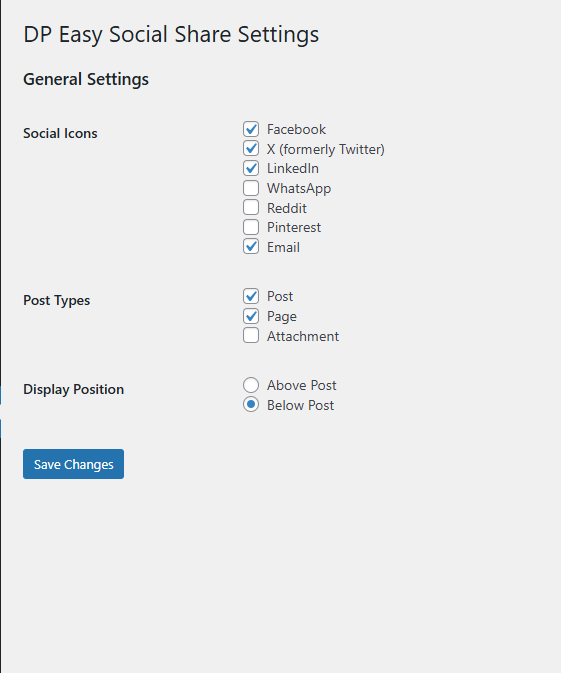
- Easy-to-Use Interface: Configure your social sharing settings through an intuitive admin settings page.
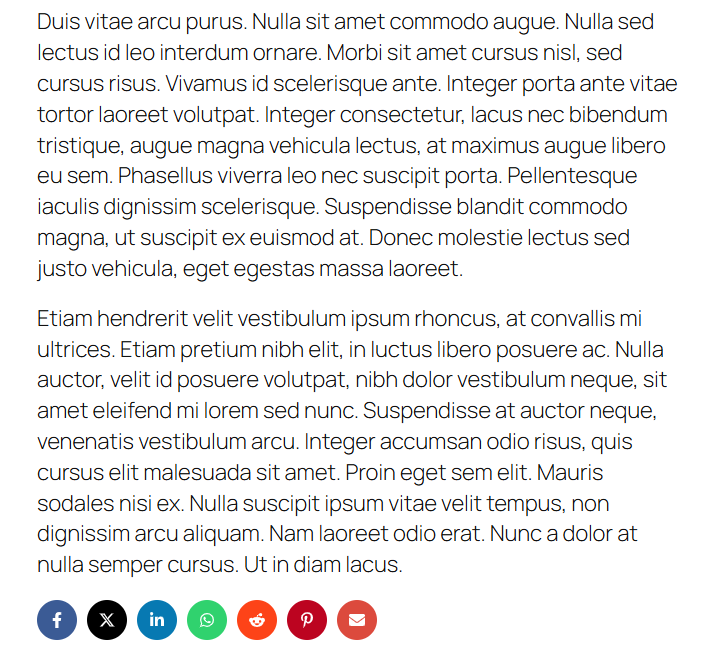
- Customizable Icons: Choose from a selection of icons via checkboxes including Facebook, X, LinkedIn, WhatsApp, Reddit, Pinterest, and Email.
- Flexible Display: Set the social icons to appear above or below your content.
- Multi-Post Type Support: Specify which post types display the social share icons.
- Lightweight & Fast: Designed to add social sharing functionality without slowing down your site.
- Responsive Design: Social icons adjust seamlessly for mobile and desktop viewing.
External Services
This plugin uses Font Awesome to provide social media icons for sharing posts and pages. Font Awesome is a third-party icon library that is included to enhance the visual presentation of social icons.
** Font Awesome **
-
What the service is and what it is used for:
The plugin uses Font Awesome to display SVG icons for various social media platforms such as Facebook, X (formerly Twitter), LinkedIn, WhatsApp, Reddit, Pinterest, Email and more. -
What data is sent and when:
No personal data is sent from the user's website to Font Awesome. The icons are embedded locally in the plugin, and no external calls to Font Awesome servers are made. -
Terms of Use and Privacy Policy:
License
DP Easy Social Share is released under the GPLv3 license. This means you are free to use, modify, and distribute the software as long as you comply with the license terms. See https://www.gnu.org/licenses/gpl-3.0.txt for more details.
צילומי מסך
התקנה
- Upload the
dp-easy-social-sharefolder to your/wp-content/plugins/directory. - Activate the plugin through the 'Plugins' menu in WordPress.
- Navigate to the "DP Easy Social Share" menu to manage the plugin settings
שאלות נפוצות
-
After installing and activating the plugin, go to the plugin settings page in your WordPress admin area. From there, you can choose which icons to display on your site.
-
Does this plugin support custom post types?
-
Yes. You can specify the post types in the settings page where you want the icons to appear.
-
Can I customize the icons or URLs?
-
Yes. The plugin now supports filters:
–dpessr_social_share_url_{$platform}: Customize the share URL per social platform.
–dpessr_social_share_icons: Modify the entire array of icon data (label, icon, url, etc).Examples:
Change WhatsApp share URL:
<?php
add_filter('dpessr_social_share_url_whatsapp', function($url, $post_url, $post_title) {
    return 'https://wa.me/?text=' . urlencode($post_title . ' ' . $post_url);
}, 10, 3);
?>
Modify icon data (e.g., add a custom platform):
<?php
add_filter('dpessr_social_share_icons', function($icons) {
    $icons['custom'] = [
        'name' => 'Custom',
        'icon' => '<svg>...</svg>',
        'url'  => 'https://custom.com/share?u={url}',
    ];
    return $icons;
});
?>
סקירות

מפתחים
"DP Easy Social Share" הוא תוסף קוד פתוח. האנשים הבאים תרמו ליצירת התוסף הזה.
תורמים
ניתן לתרגם את "DP Easy Social Share" לשפה שלך.
מעוניינים בפיתוח?
עיינו בקוד, ראו את הקוד ב-SVN repository, או הירשמו ללוג פיתוח באמצעות RSS.
שינויים
1.1.3
- Updated compatibility to WordPress 7.0
1.1.2
- Improved share URL encoding with rawurlencode for better standards compliance.
- Escaped raw URL and title values before filtering for enhanced safety.
- Tested compatibility with WordPress 6.9.
1.1.1
- Improved SVG icon handling and sanitization for security.
- Enhanced accessibility and responsiveness of icons.
- Minor code and style improvements.
1.1.0
- Added filter hooks for customizing share URLs and icon data.
1.0.1
- Updated compatibility to WordPress 6.8
1.0.0
- Initial release of DP Easy Social Share.
- Basic social sharing functionality.